Need help?
Do you have a question about the Wildix W-AIR Headset and is the answer not in the manual?
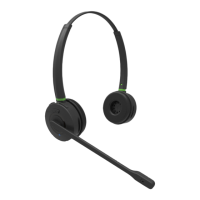
Details the physical parts of the headset, including microphone, buttons, speaker, and charger, with numbered labels.
Explains simultaneous button presses for registering the headset and for powering it on/off.
Describes functions available when the headset is idle, such as enabling silent mode, adjusting ringer volume, and entering menu mode.
Covers answering, rejecting, and swapping between incoming and active calls, including call volume adjustments.
Details how to mute or unmute the microphone during an active call.
Explains how to put an active call on hold and retrieve it using the call button.
Describes the procedure for ending an active call.
Provides a comprehensive guide to the meaning of different LED color and blink patterns for various statuses.
Details the steps to enter the main menu, navigate submenus, and select options using the headset buttons.
Outlines configurable settings like Silent mode, Language, and Registration within the headset's menu system.
Covers audio feedback, tone protection, noise reduction, equalizer, auto mode, and silent charging configurations.
Instructions on how to reset the headset's customized settings back to their original factory defaults.


 To Next Page
 General