32
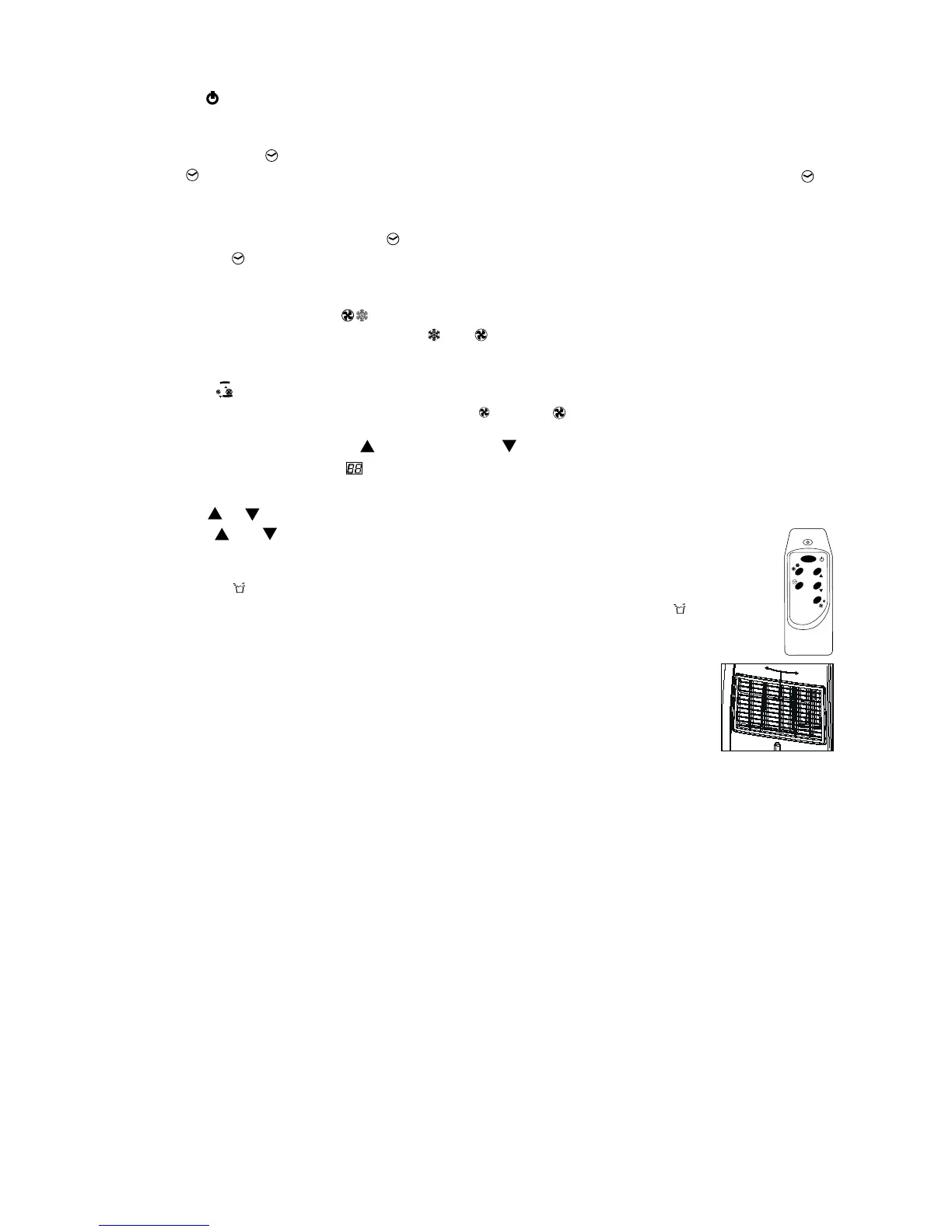
1. ON/OFF
Press the on/off-button to switch the unit on or off.
2. Setting the timer
Press the -button to set the operating hours (1 to 12 hours, 1 hour each press). When set, the led
will light up.
When the set hours have elapsed, the unit will turn off automatically. The display will show the
hour(s) remaining when you press the -button.
By pressing the -button but without turning the unit on, you can pre-set in how many hour(s) the
unit will switch on automatically.
3. Setting the operating mode
Select the required operating mode: cooling , fan or auto. The corresponding led will lit. In auto
mode the unit will select cooling or fan depending on the ambient temperature.
4. Fan speed
Select the fan speed, the corresponding led will lit: - low or - high.
5. Temperature setting, increase (up) or decrease (down)
When the unit is ON the display shows the ambient temperature, and any led of operating mode,
fan speed, timer is on.
Press button or to see the set temperature and adjust if necessary – in the range from 18 °C to 32
°C – with the and buttons (1 °C each press). After a few seconds the room temperature
will be displayed.
Warning lights and comp
When the water container is full, the unit automatically stops, the warning light will ash
to signal that the container must be emptied.
When the unit is cooling, the compressor light comp will be on. If this light is off further
cooling is not needed at this time, or the compressor may be de-icing its coils. The
fan can still be on.
Remote control
The air conditioner responds to all signals that are sent by the remote control. Two
AAA-batteries are required to use the remote control. Point the remote control hand set towards the
control panel of the unit and press the relevant button, the red led on the hand set will ash whenever
a button is pressed.
Note: the air ow direction can not be adjusted with the remote control.
Air ow
Adjust the left-right direction of the out owing air by turning the roller on the front of the air outlet
grill.
Adjust the air ow up and down by turning the outlet grill around at its horizontal axis.
Important:
• The compressor will start approximately 3 minutes after the unit is turned on (this will help
prolong the life of the compressor). After switching the unit off, please wait at least 3 minutes
before turning the unit back on.
• The cooling will switch off when the room temperature is lower than the set one. Ventilation will
however continue to work at the set level. When the ambient temperature rises above the chosen
value, the cooling will resume.



 To Next Page