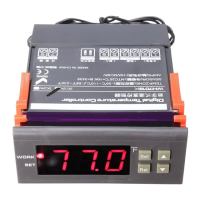
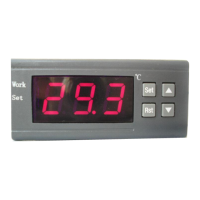
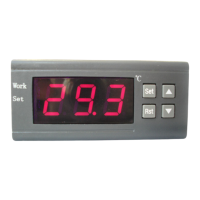
Key Instructions:
1. RST: Press RST key to switch on and off, press the RST key on the
power-off state once to turn on, on the power-on state, press the RST key
for three seconds and hold on, then it will be off.
2. SET:
A: Press the SET key once to enter the temperature control setting, press
▲ or ▼ button to adjust, press ▲ or ▼ button for three seconds and hold
to enter the fast adjusting mode, press the SET key again to exit setting
mode.
B: Press and hold SET key for three seconds to enter the system menu
settings, press the ▲ or ▼ key to select the adjustment menu, press SET
key once to enter the appropriate parameter settings, press ▲ or ▼ to
adjust the parameters needed to be modified, after being adjusted, press
the RST key to exit, or exit as the system delay for 5 seconds.
▲: Up key
▼: Down key
Operating Instructions:
LED Status Description:
The WORK lights at the left side of the screen is used as working indicator
lights, flashing is to indicate the delay of cooling or heating, if the LED is
always on ,it indicates it is on the status of cooling or heating .
The SET light at the left side of the screen lights is used as setting indicator
lights, if the LED is always on ,it indicates it is on the status of setting.
.
Function Instructions:
Press RST key to open the thermostat, on the running status, press this key
for 3 seconds, then the thermostat can be turned off.
Cooling, heating function:
Cooling Mode: When the measured temperature is higher than or equal to
the set value + hysteresis, the relay picks up to start the output; When the
measured temperature below the set value, the relay off and close the output.
Heating mode: When the measured temperature is higher than or equal to
the set value, the relay off, turn off the output; When the measured
temperature below the set value - hysteresis, the relay picks up to start the
output.
Example for Setting: If it is set to heating mode, set the temperature to 25
degrees, hysteresis is set to 5, then when the measured temperature is
higher than or equal to 25 degrees, the relay is off, close the output.
When the temperature is below 20 degrees, pick up the relay again, to
start the output.
Example for Setting: If it is set to cooling mode, set the temperature to 25
degrees, hysteresis is set to 5, then when the measured temperature is
below 25 degrees, the relay is off, close the output. When the
temperature is higher than or equal to 30 degrees, pick up the relay again,
to start the output.
Cooling, heating mode setting:
Press "SET" key and hold more than 3 seconds to enter the menu display, the
screen appears "HC" code, press the "SET" key to display the working mode,
press the "▲" or "▼" to adjust the display, C means cooling mode; H means
heating mode.
Hysteresis function:
Hysteresis setting limits the maximum interval between the opening and
stopping, this machine minimum interval between the opening and stopping is


 To Next Page
 Loading...