Playing the Styles.............Continued
2. The Chord Recognition Modes
The digital piano allows you to choose between two different Chord modes: Fingered and
Single Finger.
Single Finger mode
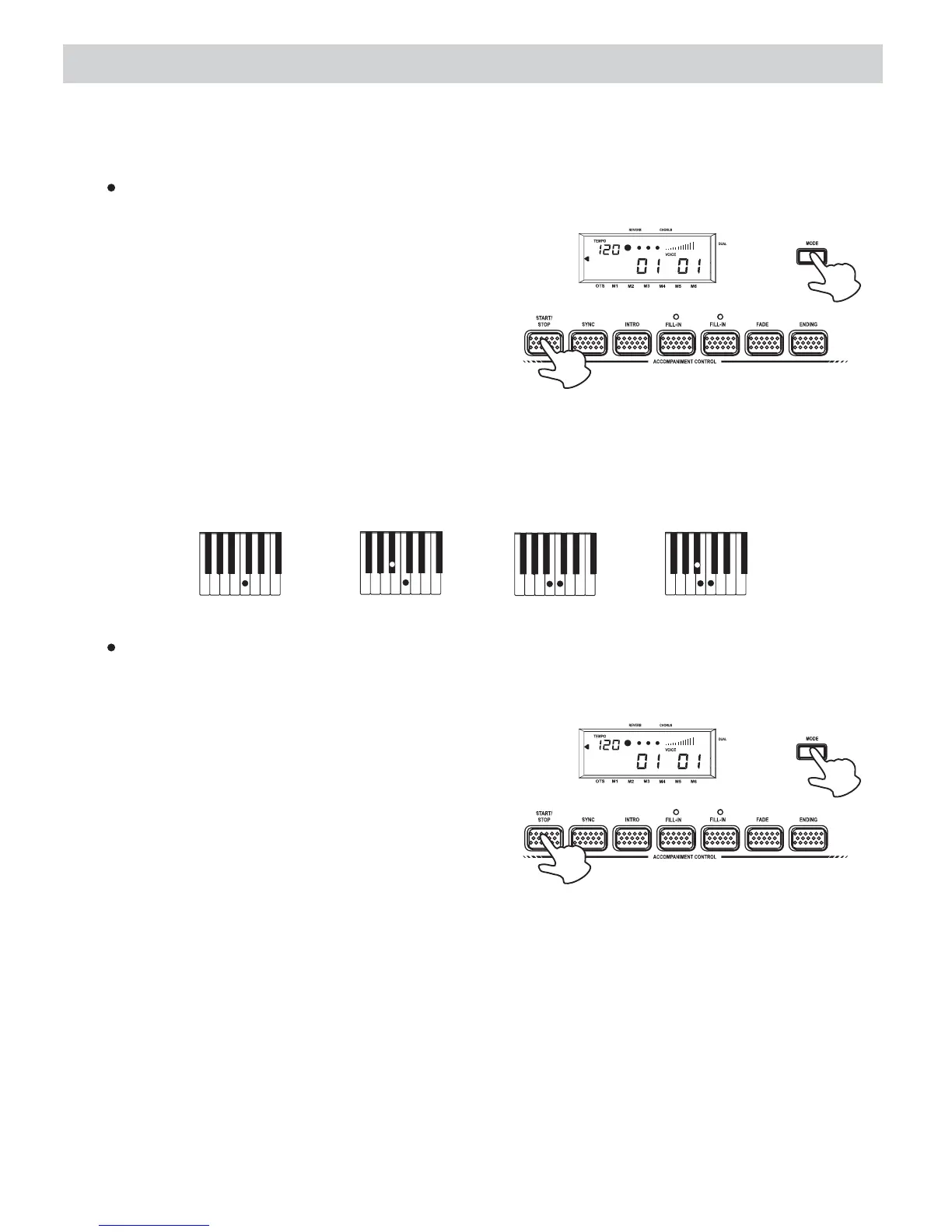
1.Choose a style that you desired (01-99).
2.Press the MODE button until the arrowhead
points to S.Finger.
3.Press the button to start to
playback the style.
START/STOP
4.Follow the Single Finger Chord table in the appendix section and play the chord that you
want.
NORMAL
FINGERED
SPLIT
S.FINGER
HARMONY
OCTAVE DOWN
TOUCH
A
B
The following shows C, Cm, C7 and Cm7 as the examples of the S.Finger Chord playing
method:
CCmC7Cm7
Major[M] Minor[m] Seventh[7] Minor Seventh[m7]
Fingered mode
In this mode, play the keys on the left of the Split point to play the Fingered Chord that
you want.
1.Choose a style that you desired (01-99).
2.Press the button until the arrowhead
points to Fingered.
MODE
3.Press the button to start to
playback the style.
START/STOP
4.Follow the Fingered Chord table in the appendix section and play the chord that you
want.
NORMAL
FINGERED
SPLIT
S.FINGER
HARMONY
OCTAVE DOWN
TOUCH
A
B
15















 To Next Page