MIDI
The MIDI section consists of two functions, TRANSMIT or RECEIVE, which allows you to
set the Transmission and Reception channels independently for the keyboard as a whole.
Both Reception and Transmission channels also feature a Control Change filter (on/off).
You can set the MIDI Transmission and Reception channels to any value from 1-16, or off.
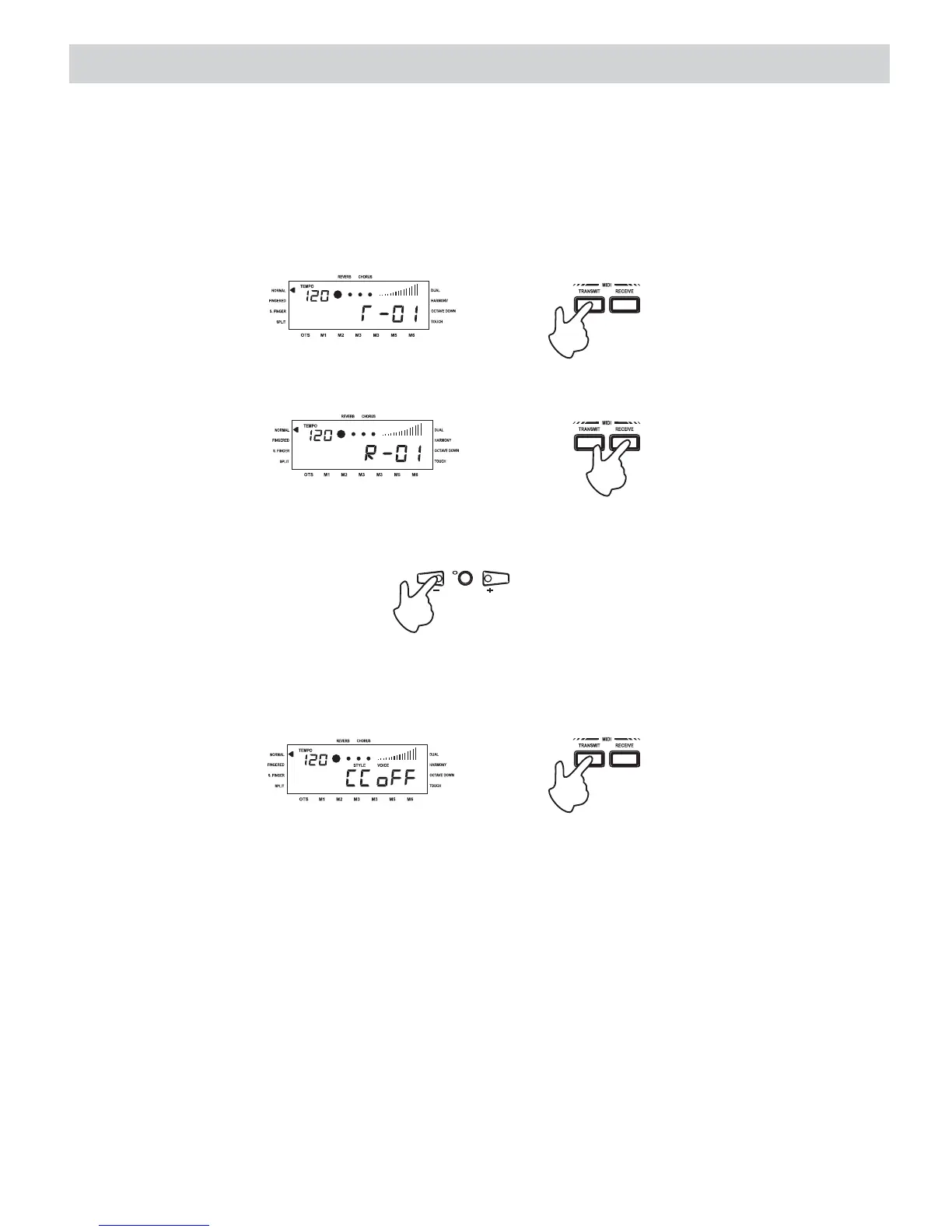
MIDI channel selection
If you press the button, the display shows the factory-set MIDI Transmission
channel.
MIDI TRANSMIT
If you press the button, the display shows the factory-set MIDI Reception
channel.
MIDI RECEIVE
Use the + button in the numeric keypad to increase the Transmission or Reception channel, or
the-buttontodecreaseit.
To set the Control Change filter for either the Transmission or Reception channel, press the
or button twice. The display shows the current setting (Off).TRANSMIT RECEIVE
Control Change filter
x2
To activate or deactivate the filter, use the + or - buttons of the numeric keypad.
22















 To Next Page