18
1-888-WILLOW-3
help.onewillow.com |
5. PUMPING
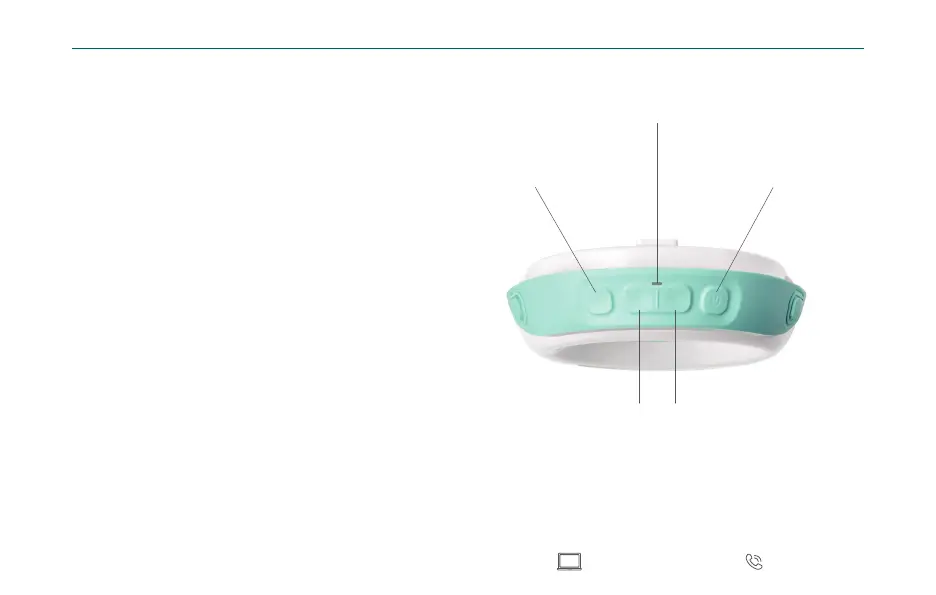
Hold the Power button for one second to start
and stop pumping. The LED Indicator will
display green, orange or red for battery status,
then turn o after 5 seconds for discreet
pumping.
The Pump begins in Stimulation Mode with
quick suckling. When you feel let-down, you
may press the MODE button to switch to
slower and stronger Expression Mode. The
Pump automatically transitions to Expression
Mode after 2 minutes. Press the MODE
button at any time to change the speed from
slow to fast, and adjust suction strength with
the Increase / Decrease buttons to nd the
combination that is most comfortable.
Note: Pump will not work when connected to a
charger. Always disconnect Pump from charger
before using. LED Indicator will be o during pumping
unless a notication is triggered.
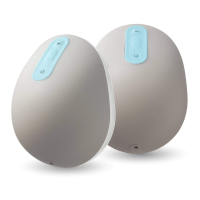
Mode
(Stimulation / Expression)
Power
(Automatically powers o
after 25 minutes of pumping.)
Suction Controls
LED Indicator
Decrease Increase


 To Next Page