EasyManua.ls Logo

Wimius K7 - Page 17

Wimius K7
25 pages
Print Icon
To Next Page IconTo Next Page
To Previous Page IconTo Previous Page
Loading...
support01@wimius.com
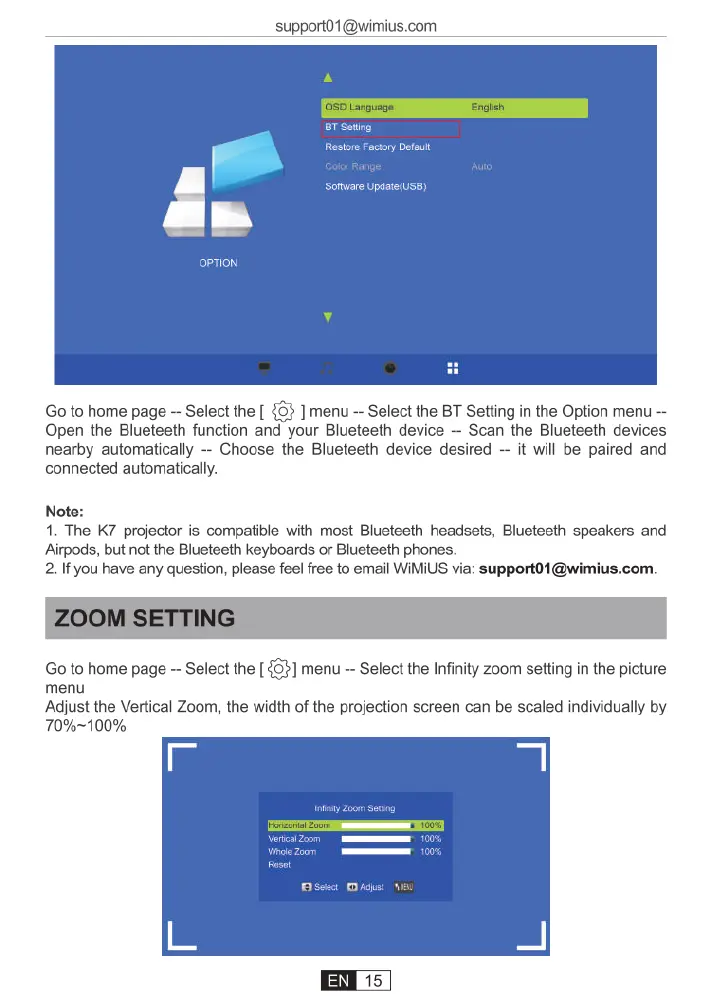
Go
to
home
page
Select
the
[
{33
]
menu
Select
the
BT
Setting
in
the
Option
menu
Open
the
Blueteeth
function
and
your
Blueteeth
device
Scan
the
Blueteeth
devices
nearby
automatically
Choose
the
Blueteeth
device
desired
it
will
be
paired
and
connected
automatically.
Note:
1.
The
K7 projector
is
compatible
with
most
Blueteeth
headsets,
Blueteeth
speakers
and
Airpods,
but not the
Blueteeth
keyboards
or
Blueteeth
phones.
2.If
you
have
any
question,
please
feel
free
to
email
WiMiUS
via:
support01@wimius.com
ZOOM
SETTING
Go
to
home
page
~
Select
the
[
{G}]
menu
-
Select
the
Infinity
zoom
setting
in
the
picture
menu
Adjust
the
Vertical
Zoom,
the
width
of
the
projection
screen
can
be
scaled
individually
by
70%~100%

Related product manuals