EasyManua.ls Logo

Wimius P60 - Other Setting; Signal Lines Connection

Wimius P60
26 pages
Print Icon
To Next Page IconTo Next Page
To Previous Page IconTo Previous Page
Loading...
3
Support01@wimius.com
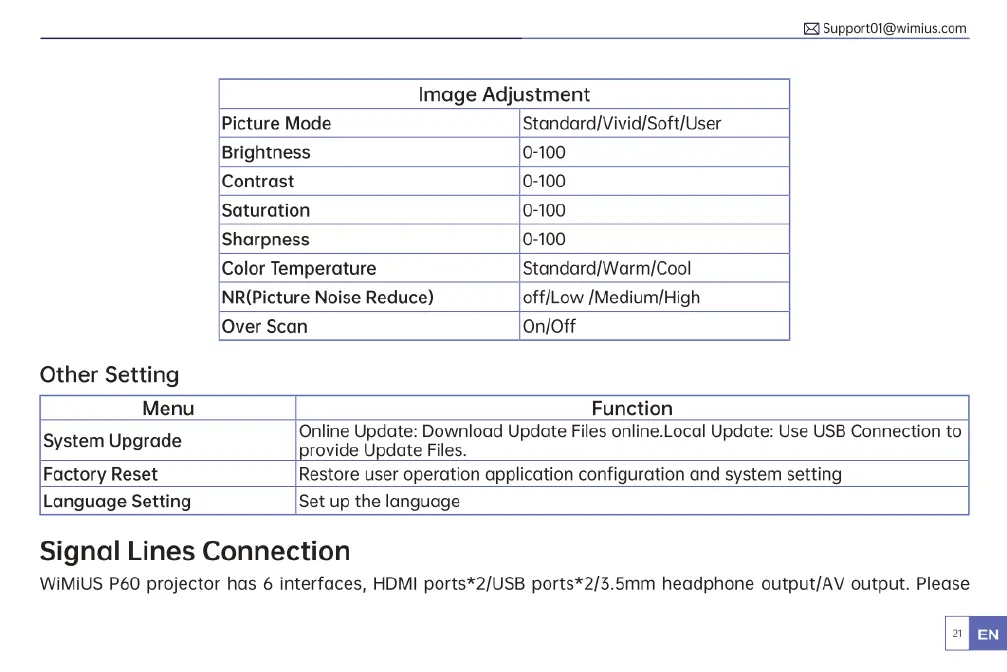
Image
Adjustment
Picture
Mode
Standard)Vivid/Soft/User
Brightness
0-100
Contrast
0-100
Saturation
0-100
Sharpness
0-100
Color
Temperature
Standard/Warm/Cool
NR(Picture
Noise
Reduce)
off/Low
/Medium/High
Over
Scan
On/Off
Other
Setting
Menu
Function
Online
Update:
Download
Update
Files
online.Local
Update:
Use
USB
Connection
to
provide
Update
Files.
Factory
Reset
Restore
user
operation
application
configuration
and
system
setting
Language
Setting
Set
up
the
language
System
Upgrade
Signal
Lines
Connection
WiMiUS
P60
projector
has
6
interfaces,
HDMI
ports*2/USB
ports*2/3.5mm
headphone
output/AV
output.
Please

Related product manuals