support01@wimius.com support01@wimius.com
EN EN
6 7
1.
2.
3.
4.
5.
6.
7.
8.
9.
10.
1 1.
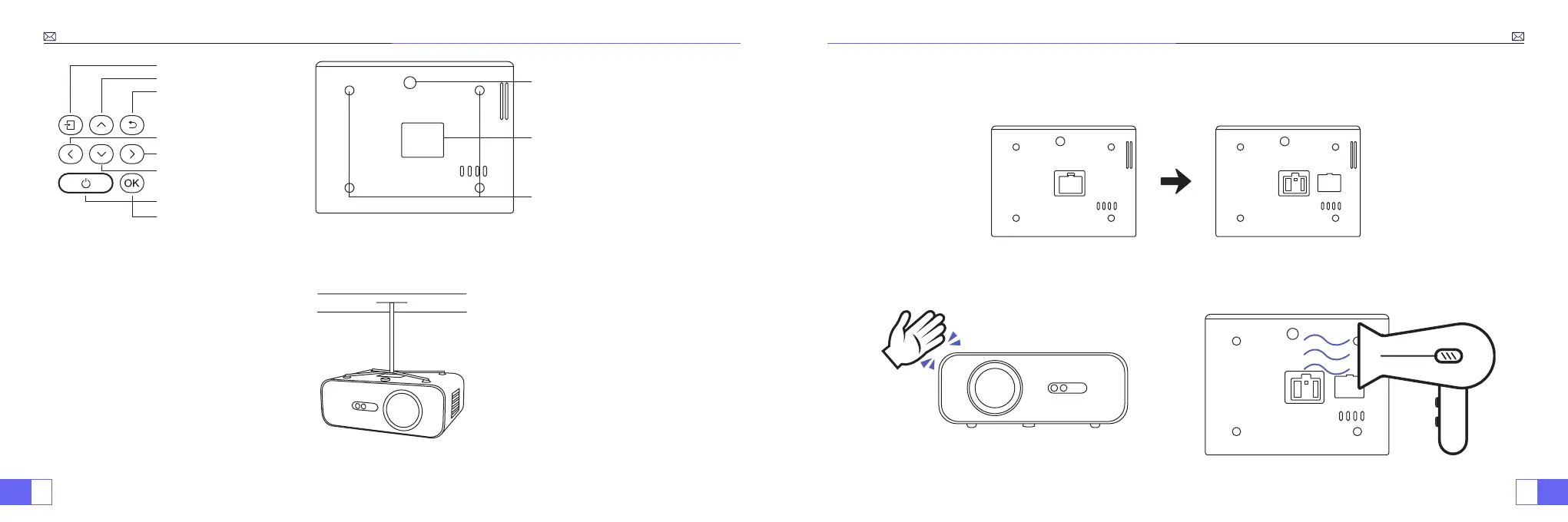
Signal source
Up
Return
Left
Right
Down
Power Button
OK
Level-stand adjustment (to adjust
projection angle)
Projector mount holes (M5*16mm)
Bottom case (open to clean the internal
screen)
Note:
For Ceiling mount, please slowly remove the 4 black rubbers, then you can nd the holes for ceiling mount.
The screw size is M5*16mm.
How to clean the Black Spots?
Open the dusting mouth cover rotation with a screwdriver.
Method 1 Method 2
Use the cold wind to blow the dusting mouth.Extert yourself to ap the body of projector.



 To Next Page