Asupport02@wimius.com
Input Source
HDMI 1
HDM12
Screen Mirroring
AV
USBI
USB2
@0K
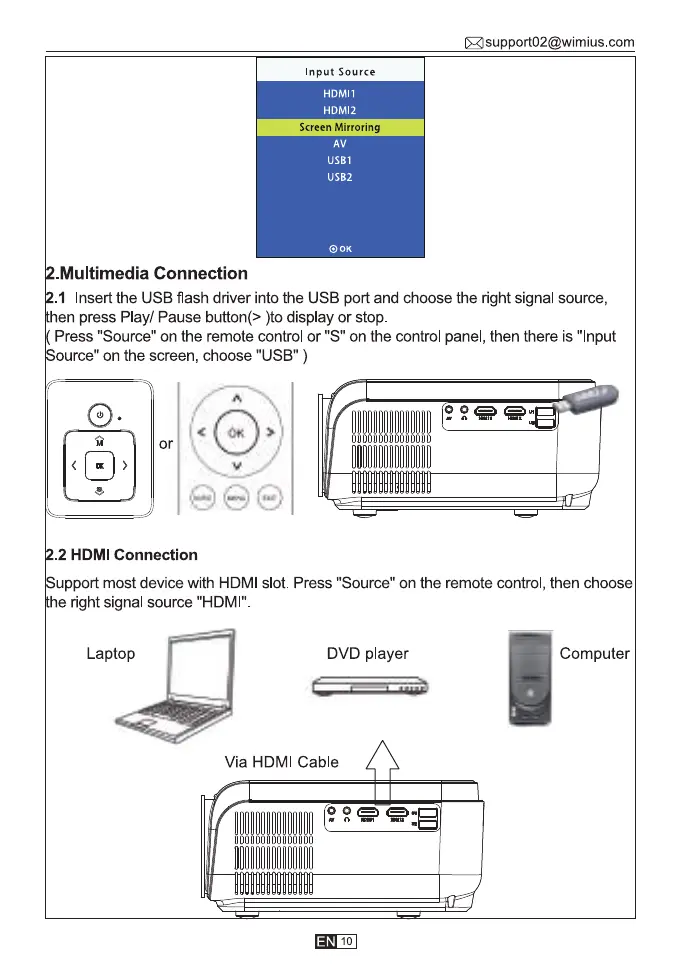
.MuItimedia Connection
.1 Insert the USB flash driver into the USB port and choose the right signal source,
hen press Play/ Pause button(> )to display or stop
Press "Source" on the remote control or "S" on the control panel, then there is "Input
ource" on the screen, choose "USB" )
or
.2 HDMI Connection
upport most device with HDMI slot. Press "Source" on the remote control, then choose
he right signal source "HDMI"
Laptop DVD player Computer
Via HDMI Cable
ocooooooooooooo
10



 To Next Page