Asupport02@wimius.com
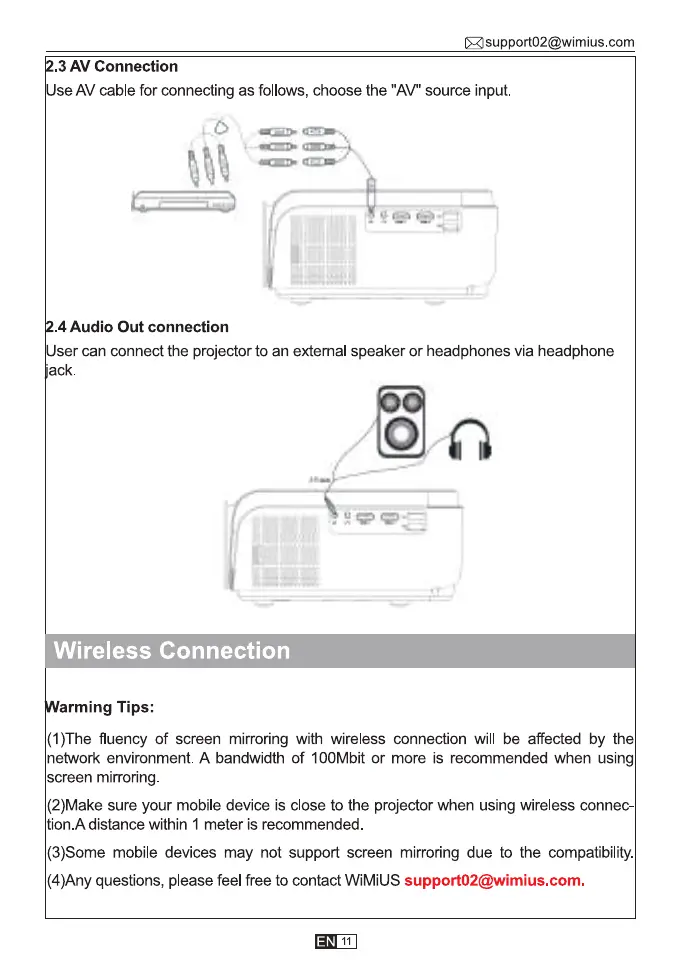
.3 AV Connection
Use AV cable for connecting as follows, choose the "AV" source input.
.4 Audio Out connection
User can connect the projector to an extemal speaker or headphones via headphone
ack.
O
Wireless Connection
arming Tips:
(1)The fluency of screen mirroring with wireless connection will be affected by the
network environment. A bandwidth of 100Mbit or more is recommended when using
screen mrronng
(2)Make sure your mobile device is close to the projector when using wireless connec-
tion.A distance within 1 meter is recommended
(3)Some mobile devices may not support screen mirroring due to the compatibility.
(4)Any questions, please feel free to contact WiMiUS support02@wimius.com.
11



 To Next Page