Asupport02@wimius.com
ireless Mirroring Setting
Please press [source] on the remote control or the [S] button on the projector to select
he signal source [Screen Mirroring] and enter the screen sharing function
Input Source
HDMII
HDM12
Screen Mirroring
AV
USBI
USB2
@ 0K
1 .for Android Devices
o activate this function, your android device must support Multi-Screen/Wireless
isplay. Names may differ from different devices.
Method I: Setting with cellular data
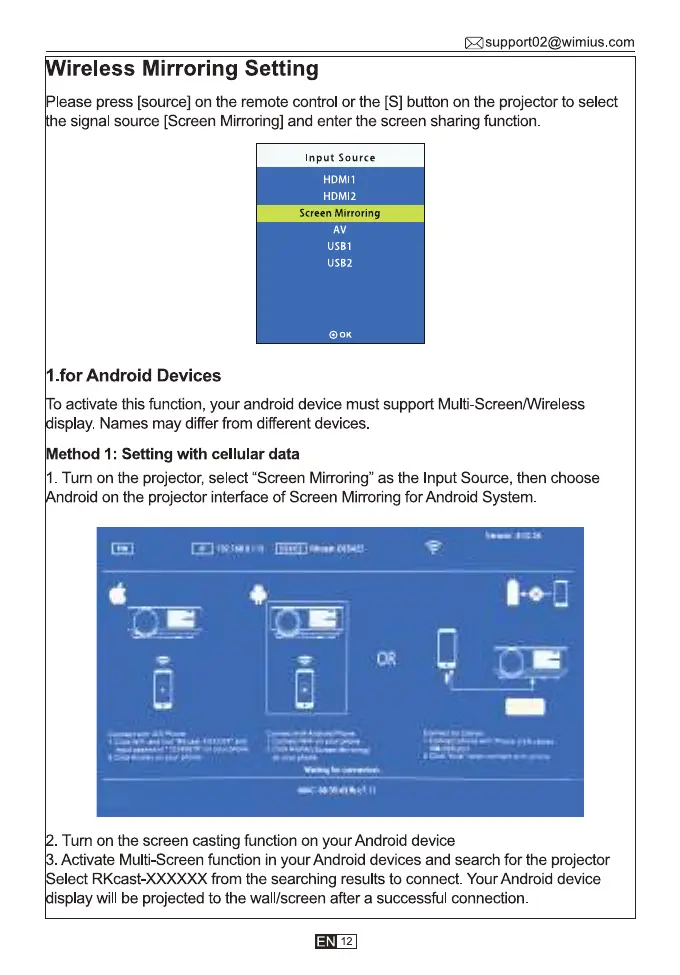
1.Tum on the projector, select "Screen Mirroring" as the Input Source, then choose
droid on the projector interface of Screen Mirroring for Android System
. Tum on the screen casting function on your Android device
Activate Multi-Screen function in your Android devices and search for the projector
elect RKcast-XXXXXX from the searching results to connect. Your Android device
isplay will be projected to the wall/screen after a successful connection
12



 To Next Page