Asupport02@wimius.com
Method 2: Setting with Home Wifi
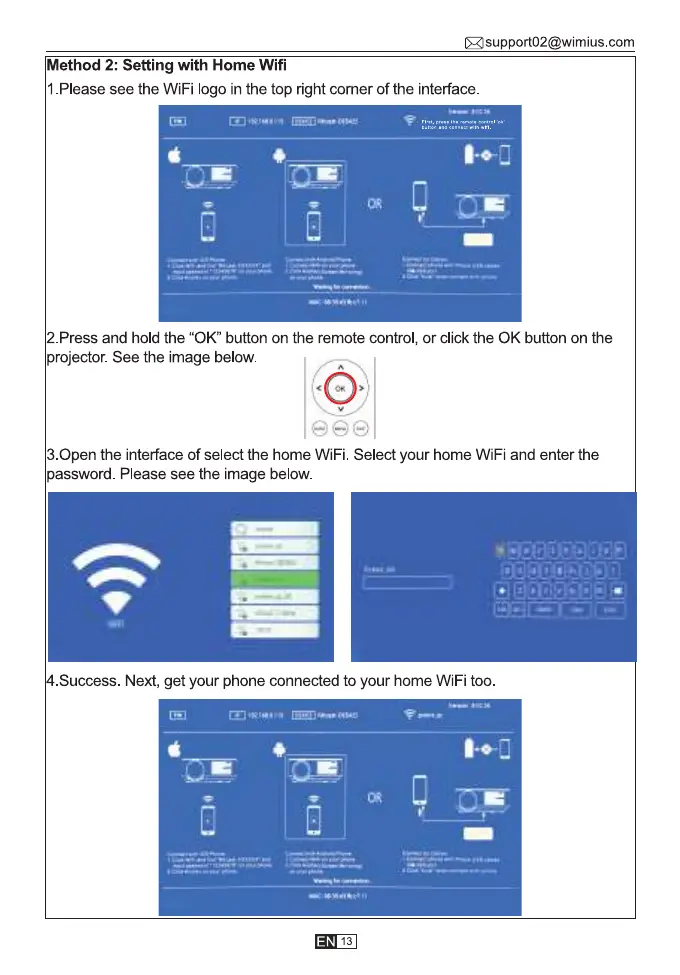
1.Please see the WiFi logo in the top right corner of the interface.
2. Press and hold the "0K" button on the remote control, or click the 0K button on the
projector. See the image below.
3.0pen the interface of select the home WiFi. Select your home WiFi and enter the
password. Please see the image below.
4.Success. Next, get your phone connected to your home WiFi too.
13



 To Next Page