Asupport02@wimius.com
Note :
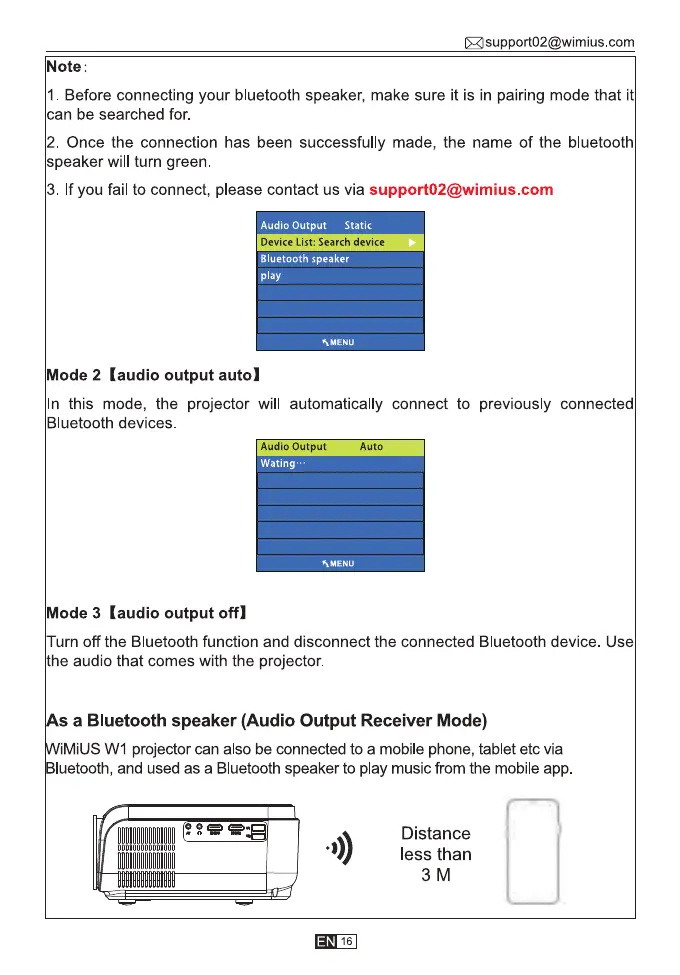
1. Before connecting your bluetooth speaker, make sure it is in pairing mode that it
can be searched for.
2. Once the connection has been successfully made, the name of the bluetooth
speaker will turn green.
3. If you fail to connect, please contact us via support02@wimius.com
Audio Output
Static
Device List: Search device
Bluetooth speaker
play
AMENU
Mode 2 (audio output auto)
In this mode, the projector will automatically connect to previously connected
Bluetooth devices.
Audio Output
Wating•
Auto
hMENU
Mode 3 (audio output offl
Turn off the Bluetooth function and disconnect the connected Bluetooth device. Use
the audio that comes with the projector.
s a Bluetooth speaker (Audio Output Receiver Mode)
iMiUS WI projector can also be connected to a mobile phone, tablet etc via
luetooth, and used as a Bluetooth speaker to play music from the mobile app
0))
16
Distance
less than
3M



 To Next Page