Asupport02@wimius.com
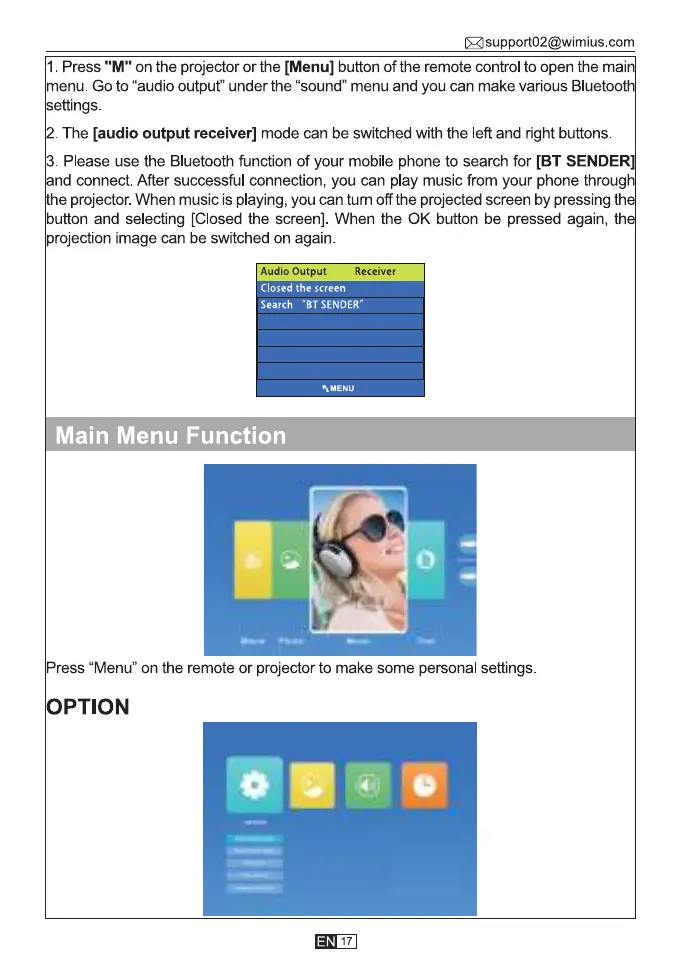
1. Press "M" on the projector or the [Menu] button of the remote control to open the mai
menu. Go to "audio output" under the "sound" menu and you can make various Bluetoot
settings.
2. The [audio output receiver] mode can be switched with the left and right buttons.
3. Please use the Bluetooth function of your mobile phone to search for [BT SENDER
and connect. After successful connection, you can play music from your phone throug
he projector.When music is playing, you can turn off the projected screen by pressing th
button and selecting [Closed the screen]. When the 0K button be pressed again, th
projection image can be switched on again
Audio Output
Receiver
Closed the screen
Search "BT SENDER"
hMENU
Main Menu Function
Press "Menu" on the remote or projector to make some personal settings.
OPTION
17



 To Next Page