Installing More Software
[WinBook XP]
To install applications or utility software, follow the instructions that come with the software.
Most Windows programs install from within Windows. Install DOS programs from the DOS
command line. Many programs have “Install” or “Setup” utility programs that explain in detail
how to install the program and often allow you to customize the installation according to your
preferences, or by selecting which parts to install.
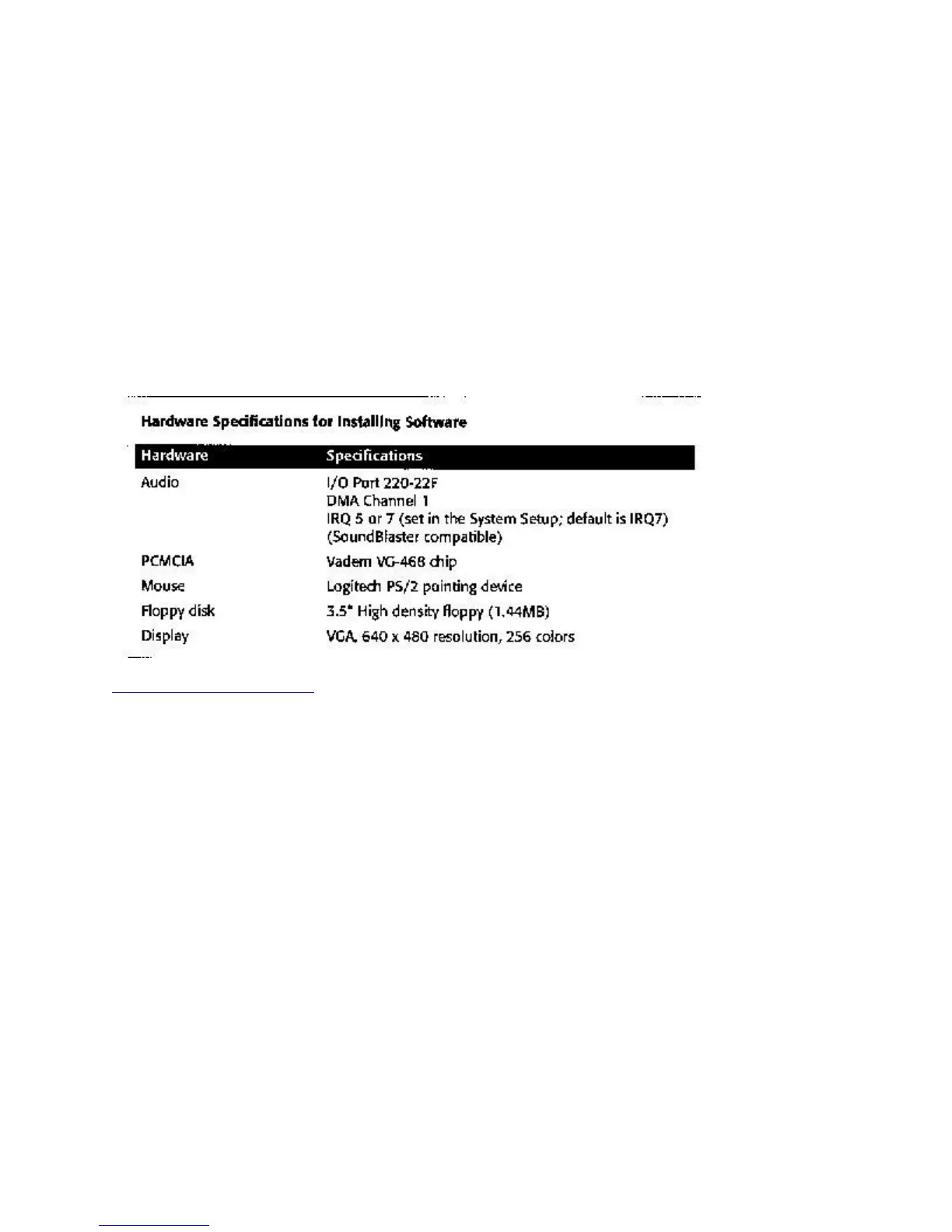
Some Windows and DOS programs request information about your system hardware during the
installation process. Refer to the specifications below for information you’re likely to need.
Chapter Two: On the Road



 To Next Page