CHAPTER THREE: SETTING UP BASE CAMP
When you use your WinBook XP at a base location, you’re likely to want to connect various
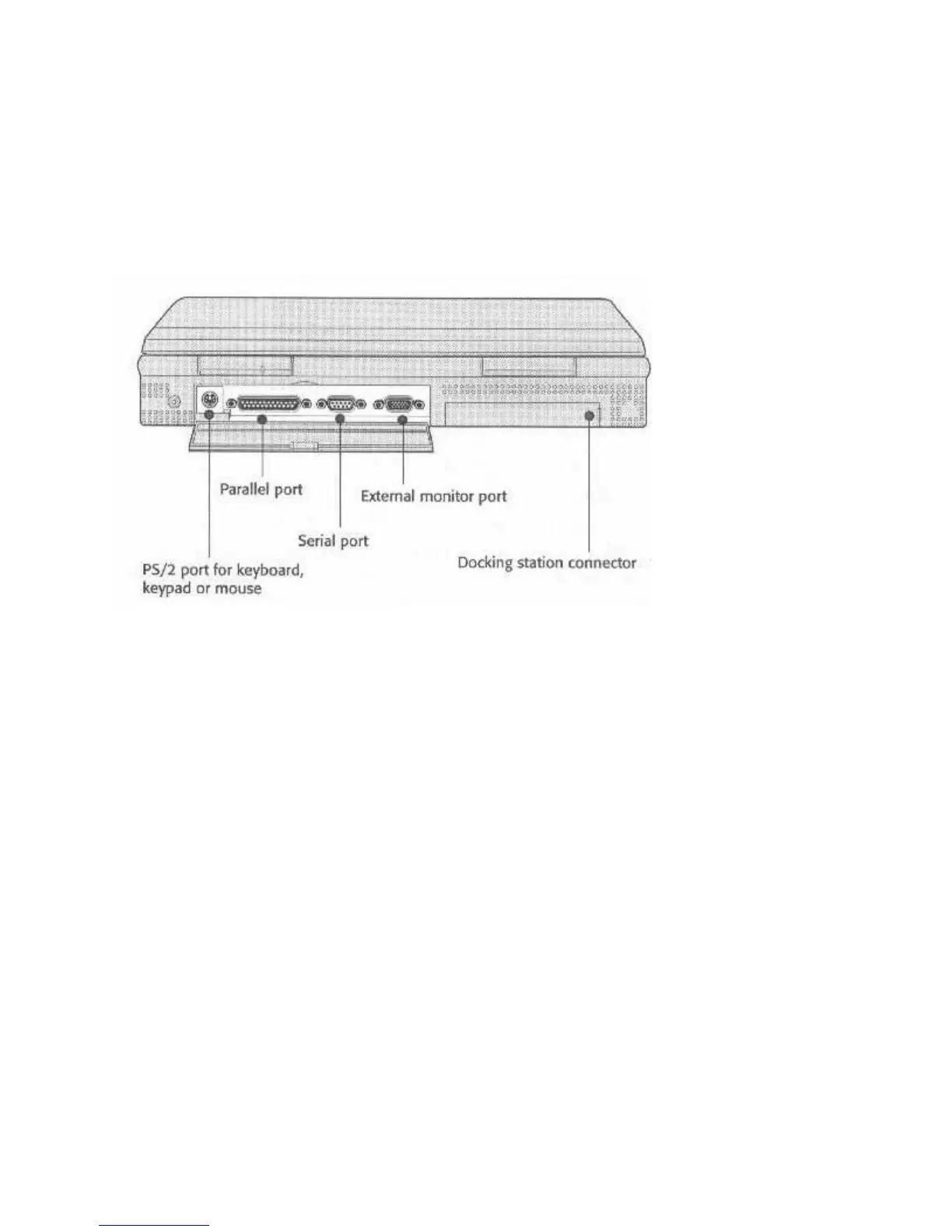
peripherals to the computer. This section covers how to do it. The connection ports are shown
again below for your reference.
Figure 15: Peripheral Connection Ports
Using A PS/2-type Mouse
You must use the adapter described in this chapter if you want to connect a PS/2-type mouse to
the PS/2 port.f
CONNECTING COMMON PERIPHERALS
When you use your WinBook at an office or at home you may want to take advantage of the
option to use desktop peripherals. Doing this has two advantages. You may find that a desktop
keyboard and monitor are more comfortable for extended use for some kinds of work. In
addition, using these whenever you can, along with the AC adapter, will prolong the life of the
less easily replaced components built into your WinBook.
Connecting Peripherals – The Basic Procedure
To connect any peripheral device to your computer, you should always follow this basic
procedure:
1. Make sure everything is turned off, and better yet, unplugged.
2. Set up the peripheral according to the instructions in the manual that comes with it.
3. Connect the device to the computer with an appropriate cable.



 To Next Page