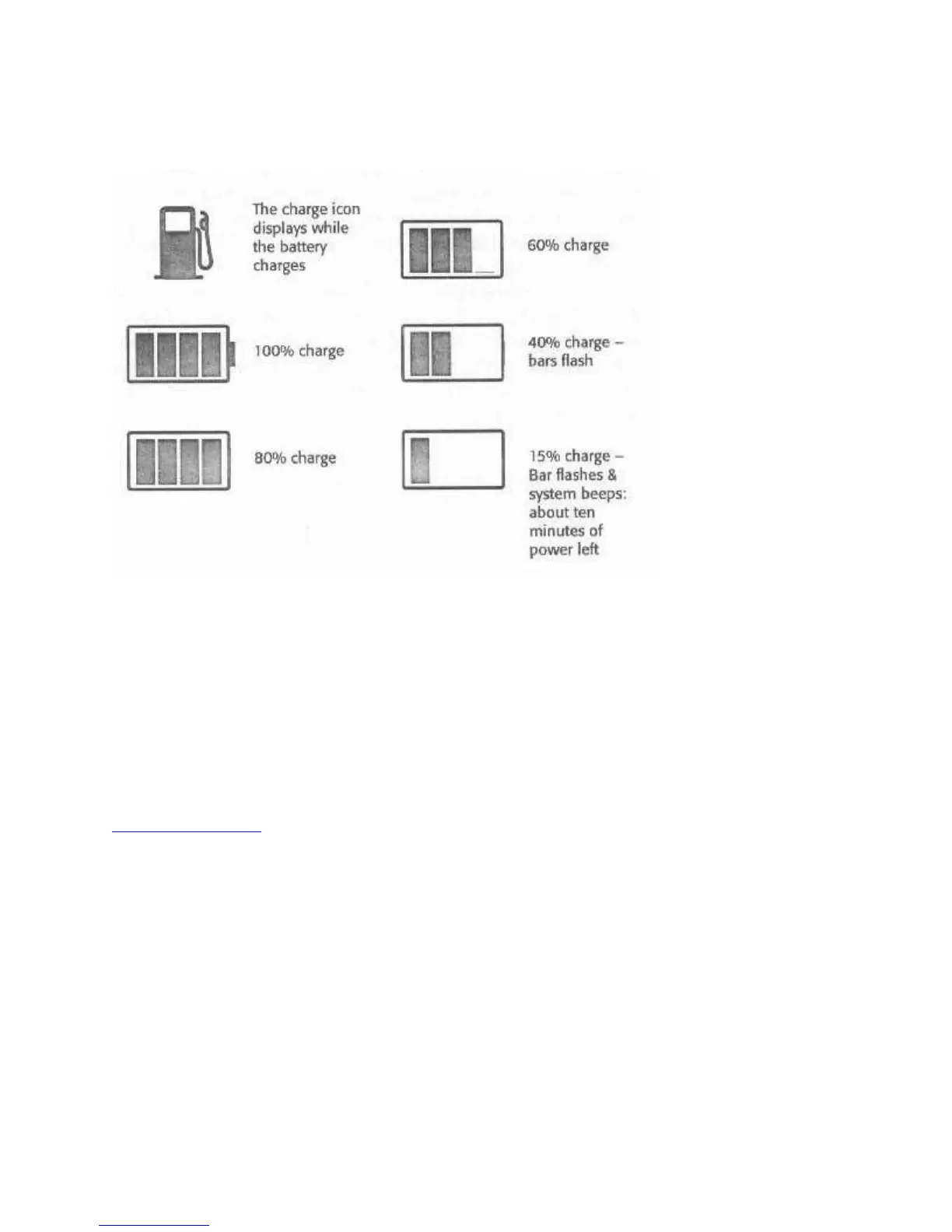
The battery gauge in the LCD status panel indicates approximately how much charge is left in
the battery.
Figure 14: Battery Gauge Display
The Battery Gauge Display
The Battery Gauge gives as precise an estimate as possible of the current state of your battery.
The estimate is based on an average user scenario, which includes assumptions about your use
habits and that you will use Power Management. If you use your WinBook substantially
differently from these assumptions the gauge will behave differently than represented here.
Remember, the purpose of the gauge is to protect you from losing power at a critical moment. Its
best to err on the side of caution and always charge or change the battery well before it runs out.
Power Management



 To Next Page