Static & Storage
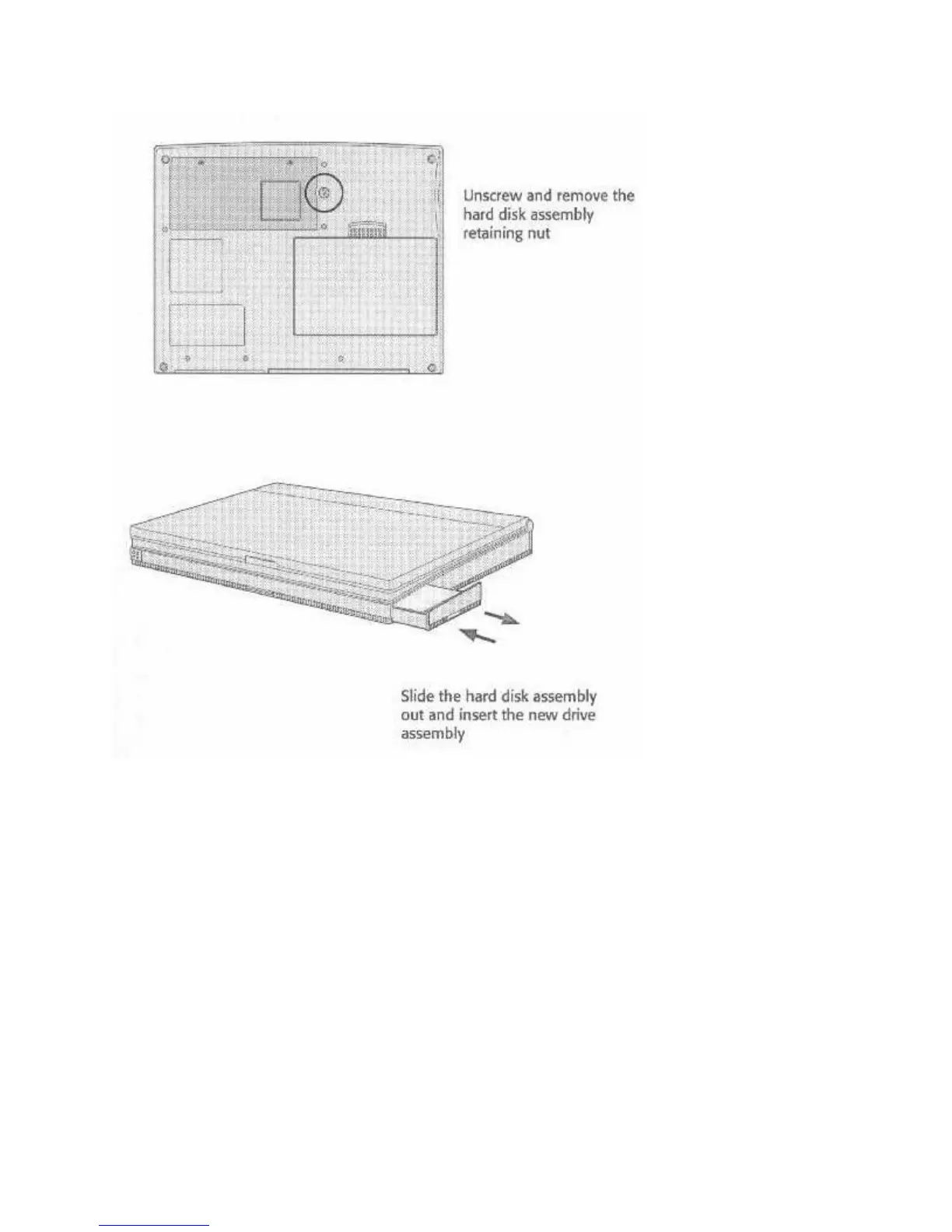
When you remove a hard disk assembly from the compartment the components on the exposed
hard disk drive are also susceptible to damage from static electric discharge. Take normal anti-
static precautions to prevent this. Put the assembly you remove in an anti-static bag or storage
bag. Do not leave it unprotected when you store or transport it.
CPU UPGRADES
Upgrading the computer’s CPU is the most effective thing you can do to increase your
WinBook’s speed and power. We must install this upgrade for you. If you want to upgrade your
CPU, contact the number listed on the “Read-Me-First” document, which came with your
WinBookXP. CPU options are listed in the specification section of Appendix B.
The range of CPU options is designed to meet your computing needs and budget. The higher the
speed of the CPU, the faster the system performance will be, but this will also affect battery life.
For CPU-intensive applications, the Intel DX4™-75, or Intel DX4™-100 are best.



 To Next Page