A Walk Around The Block
[WinBook XP]
Now that you’ve got everything unpacked, let’s take a quick look at where things are on the
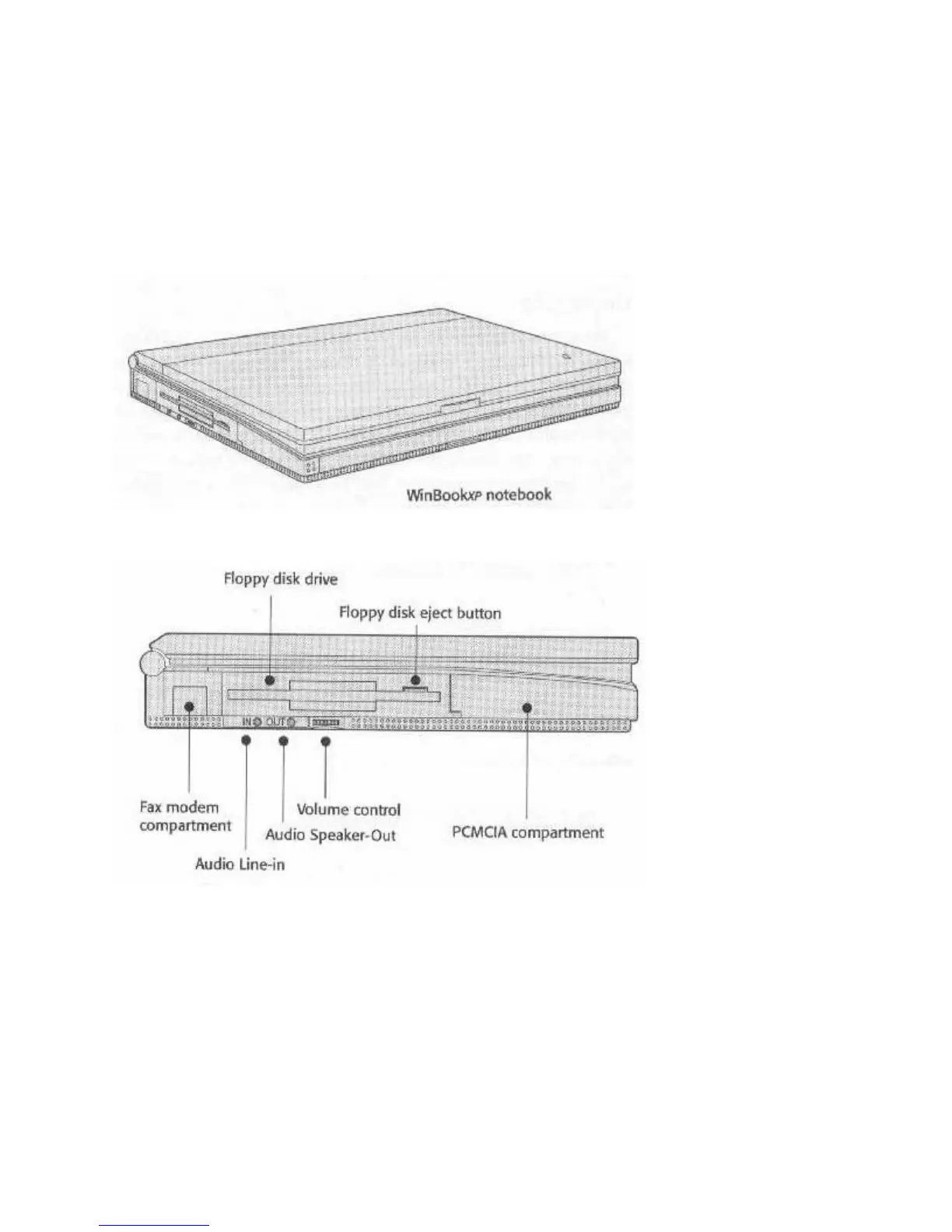
exterior of the computer. The following illustrations point out what’s what.
Fig. 2: Front-Left View
Fig. 3: Left View Close Up
Left Side Controls & Ports
The floppy disk drive has an eject button. The button pops out when you put a disk in the drive.
Push it in to eject the disk. When the drive is active, the activity icon on the LCD status panel
flashes.
The audio connectors and volume control work with the optional audio card. A small panel that
slides out from the bottom covers the fax modem port.f



 To Next Page