WindSonic Doc No 1405 PS 0019 Issue 25 February 2017
46
For Logging Facilities.
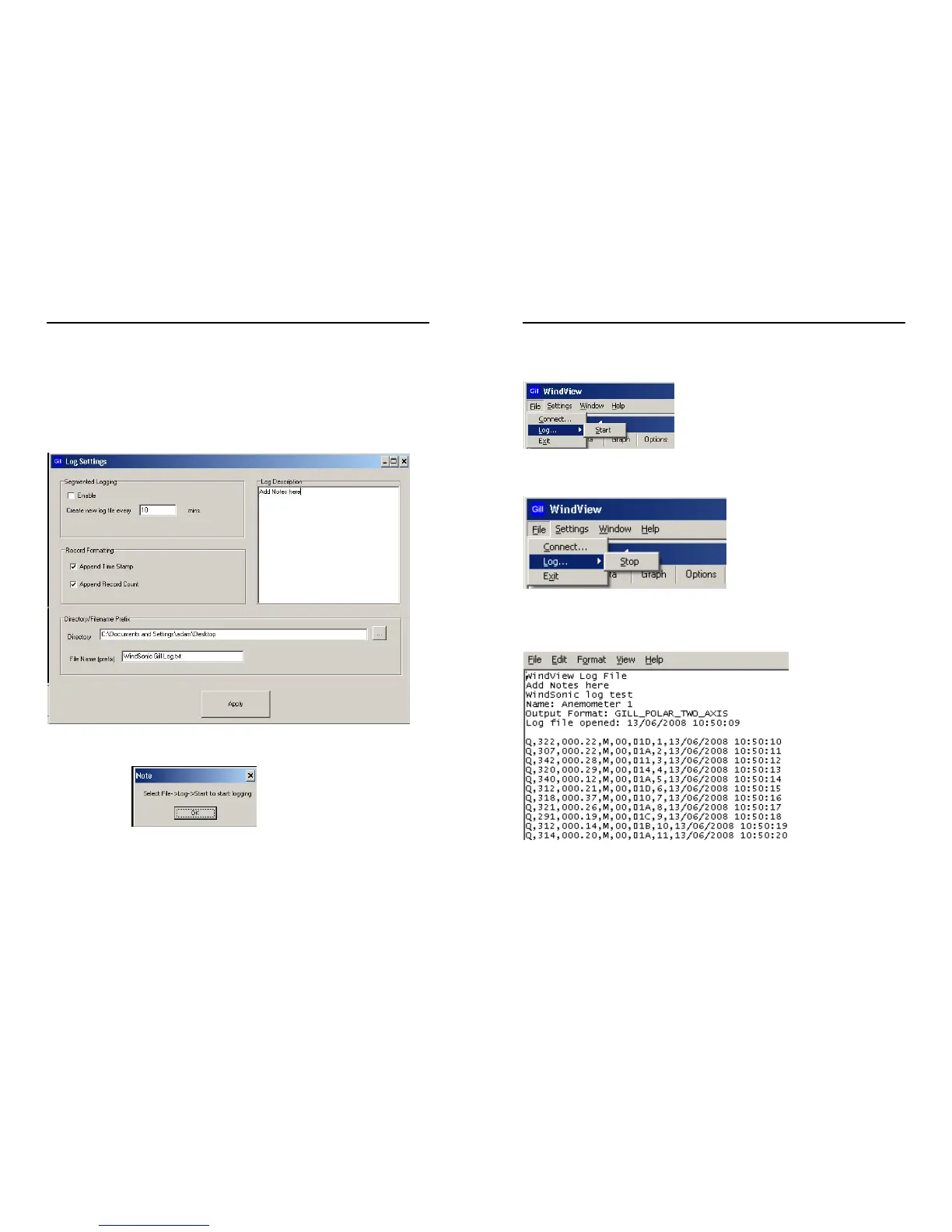
Click on Settings/Logging to reach the logging screen.
If segmented logging is required this will create and save individual files of length set by the
figure in the mins box. Otherwise a continuous log file will be recorded.
Select required Directory for saved file and File name.
Click on Apply.
Click on the Note OK button.
WindSonic Doc No 1405 PS 0019 Issue 25 February 2017
47
To Start Logging select File/Log/Start.
To Stop logging select File/Log/Stop.
Example saved data opened in Notepad.


 To Next Page