26 OFFICESUITE UC
®
—ADMINISTRATOR USER GUIDE
Recording Your Name for the Directory
You will want to record your own name for the company directory so that when incoming
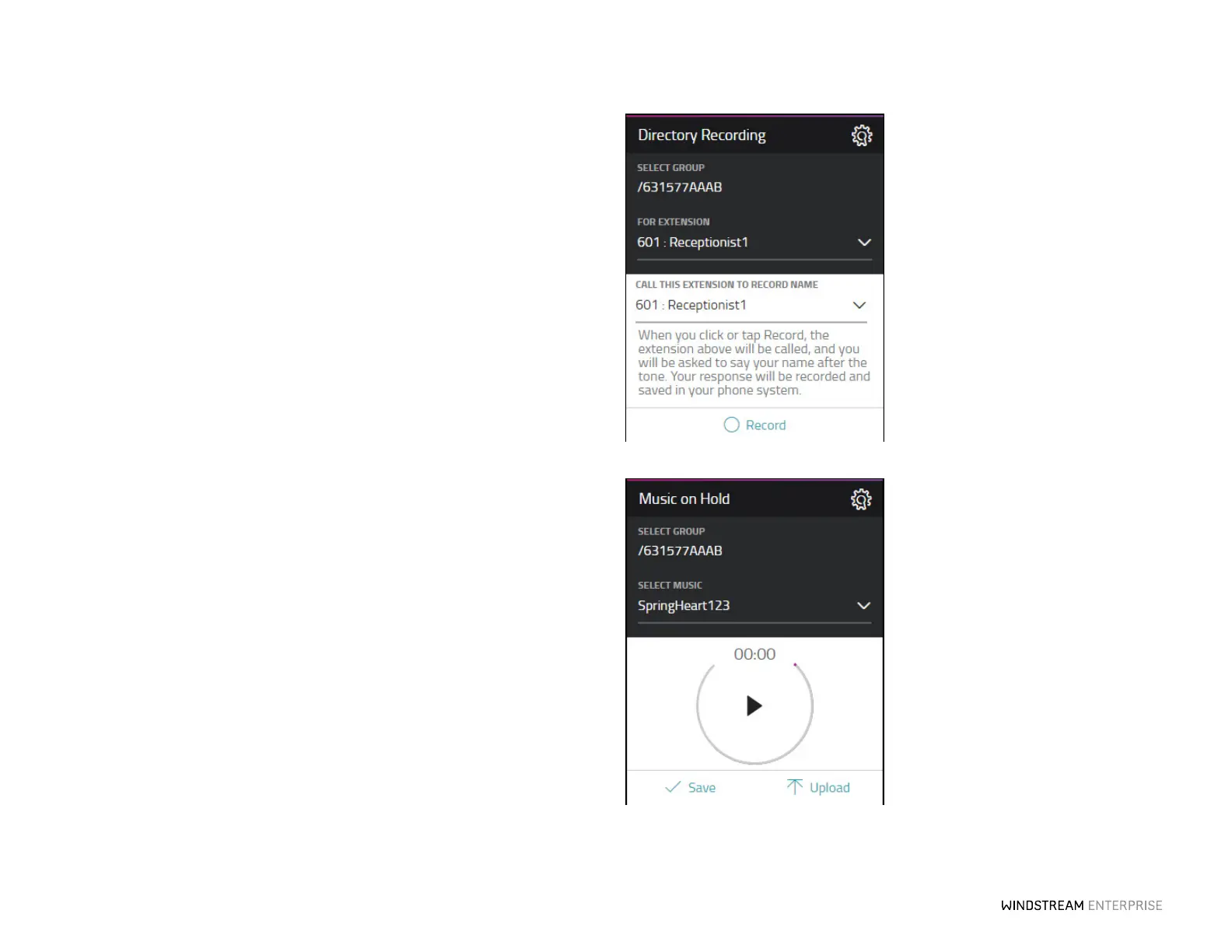
callers hear a name in the directory, they can hear your voice as their selection. To do
this, first select the extension you would like to record from the drop-down on the My
Directory Recording widget. Next, pick the phone number where you can be reached in
order to record the name and click on the Record buon on the My Directory
Recording widget.
When you press the Record buon, the system will call you and give you instructions on
recording your name.
When you are done, simply hang up and your recorded name will immediately be loaded
on the system.
Seing Up Music on Hold for Your Company
Use the Music on Hold widget to set up what music callers will hear while on hold when
they call into your business. You can listen to and select from a wide range of music,
including holiday instrumentals. Choose a music option from the dropdown list, then
click the Play buon to hear the music. Click Save aer making your music selection.
You can also upload your own mp3 or .wav files to further personalize the music or
messages callers hear when on hold. Click on the Upload buon and then select the file
you’d like to upload. Then click Save.
To set on hold music for individuals, you can do so through the Extension Manager
option, see page 9 for details.



 To Next Page