EasyManua.ls Logo

Winegard Carryout G2 - User Manual

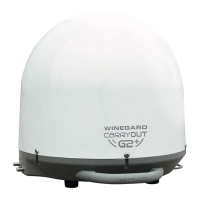
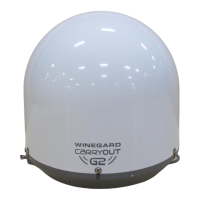
Winegard Carryout G2
6 pages
Print Icon
To Next Page IconTo Next Page
Loading...
Instruction Manual
1.
2.
3.
4.
Quick Setup
Make sure the Carryout
®
G2 antenna is in a
l
ocation with a clear view of the southern sky.
Connect the provided coaxial cable from
the primary receiver to the “MAIN” port on
the base.
Connect one end of the provided power
cable to the power socket and the other end
to a 12V power source.
Follow the receiver setup instructions on
pages 3–4 for your programming provider.
Watch TV!
5.

Other manuals for Winegard Carryout G2

Questions and Answers

  • K
    Kevin MooreJul 27, 2025
    What to do if my Winegard Antenna appears to lock onto a signal but the receiver shows no picture?
    • A
      Austin RichardsonJul 27, 2025
      If your Winegard Antenna locks onto a signal, but your receiver doesn't show a picture, the receiver might be improperly configured for the Carryout G2 antenna. Verify the switch settings are set correctly for your provider and reconfigure the receiver.
  • M
    michaeljohnstonAug 4, 2025
    How to fix a Winegard Carryout G2 that doesn't move or find a satellite?
    • J
      joshua24Aug 4, 2025
      If your Winegard Antenna doesn't move or attempt to find a satellite, there may be no communication between the power supply and the antenna. Verify the power source is providing +12 VDC to the antenna and try an additional power source. Ensure that the power plug is fully seated and locked into the power socket on the antenna.
  • C
    Connie RamosAug 11, 2025
    What to do if my Winegard Antenna isn't working after switching providers?
    • T
      Tina NashAug 11, 2025
      If your Winegard Antenna isn't working properly after switching satellite service providers, the switches may not be set for the correct provider. Remove the dome and set the switches to the correct programming provider.
  • R
    Richard PorterAug 18, 2025
    Why does my Winegard Carryout G2 Antenna continuously search for signal?
    • E
      Elizabeth MooreAug 18, 2025
      Your Winegard Antenna might continuously search because obstructions are blocking the satellite signal. Check if the southern sky is clear of trees, buildings, large signs, or overpasses. Rain, snow, or excessive dew on the dome can also interrupt the signal, so brush off any snow or dew. If heavy rain or snowfall is blocking the signal, wait until the weather clears. Another reason may be a bad connection between the receiver and the antenna. Check that the main coax cable from the antenna is connected to the “Satellite In” port on the back of the receiver and verify all coax cables are properly terminated and that there are no loose connections.

Summary

Quick Setup

Location Guidance

Ensure the Carryout G2 antenna has a clear view of the southern sky for optimal signal reception.

Cable Connections

Connect coaxial cable from receiver to antenna and power cable to antenna and 12V source.

Receiver Setup Reference

Follow receiver setup instructions on pages 3-4 for your specific programming provider.

Final Step

Watch TV after all setup procedures are completed successfully.

Specifications and Compatibility

Unit Specifications

Details unit weight, height, diameter, elevation, azimuth, voltage, and dome material.

Receiver Compatibility

Outlines compatibility with DIRECTV and DISH receivers, including SWM limitations.

Satellite Compatibility

Lists supported DIRECTV, DISH (Western Arc), and Bell TV satellite frequencies.

Installation and Setup

Warnings

Important safety and operational warnings, including water, wind, painting, and ladder mount restrictions.

Switch Settings

Instructions for setting antenna switches for DIRECTV, DISH, or Bell TV programming.

Installing the Handle

Procedure for attaching the antenna handle using screws.

Choosing a Location

Guidelines for selecting an optimal location with a clear southern sky view and level surface.

Wiring the Antenna

Steps for connecting coaxial and power cables to the antenna and receiver.

Receiver Setup Procedures

DIRECTV Receiver Setup

Step-by-step guide for configuring DIRECTV receivers, including satellite setup and guide data download.

DISH Receiver Setup

Detailed instructions for configuring DISH receivers, including check switch and installation summary.

Troubleshooting and Maintenance

Troubleshooting Common Issues

Addresses issues like antenna not moving, continuous searching, or no picture/signal.

Transporting & Maintenance

Guidance on disconnecting cables before transport and periodic cleaning of the dome.

Optional Accessories

Information on available mounting kits like Roof Mount, Tripod Mount, and Window Mount.

FCC Guidelines

Details on compliance with FCC rules regarding digital device interference.

Winegard Carryout G2 Specifications

General IconGeneral
Power12V DC
TypeSatellite
CompatibilityDIRECTV, DISH, Bell TV
FeaturesFully Automatic, Supports multiple TVs
Power Source12V DC
Satellites110, 119, 129
FrequencyKu Band
Operating Temperature+140°F

Related product manuals