EasyManua.ls Logo

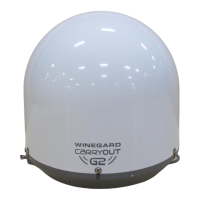
Winegard Carryout G2+ - User Manual

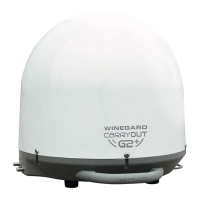
Winegard Carryout G2+
8 pages
Print Icon
To Next Page IconTo Next Page
Loading...
2452360
Instruction Manual
Do not return antenna to place of purchase
POWER INSERTER
See page 2 for setup instructions
SD/HD SD/HDSD

Questions and Answers

  • R
    rjohnsonJul 27, 2025
    What to do if the antenna indicator is unlit on my Winegard Carryout G2+ power inserter?
    • C
      Christina WolfeJul 27, 2025
      If the antenna indicator is unlit on your Winegard Antenna power inserter, it indicates no communication between the power inserter and the Carryout G2+ antenna. Ensure the included 25’ coaxial cable is properly connected between the power inserter’s ANTENNA port and the Carryout G2+ PRIMARY port. Also, make sure the power button on the power inserter is pushed to the ON position. If the issue persists, try replacing the 25’ coaxial cable with a different RG6 coaxial cable.
  • C
    Cody SmithAug 1, 2025
    How to fix a receiver indicator that is unlit on a Winegard Carryout G2+ power inserter?
    • C
      Carrie WestAug 1, 2025
      A receiver indicator that is unlit on a Winegard Antenna power inserter suggests no communication between the receiver and the power inserter. Verify that the 3’ coaxial cable connecting the receiver and the power inserter’s RECEIVER port is properly connected. For DIRECTV users, ensure the receiver is compatible and configured correctly. If the cable is connected and the receiver is properly configured, try a different piece of RG6 coaxial cable.
  • W
    whawkinsAug 6, 2025
    How to troubleshoot a Winegard Antenna with an unlit Vin indicator on the power inserter?
    • L
      Linda PageAug 6, 2025
      An unlit Vin indicator on the power inserter suggests there is no DC power going into the power inserter. Ensure the power adapter is plugged into the outlet and that the outlet is providing AC power. Also, ensure the power adapter is connected to the power inserter.
  • M
    Michele TuckerAug 11, 2025
    Why does my Winegard Carryout G2+ Antenna continuously search without acquiring satellites?
    • J
      Joseph AdkinsAug 11, 2025
      Your Winegard Antenna might continuously search without acquiring satellites due to obstructions blocking the satellite signal. Ensure the southern sky is clear of trees, buildings, large signs, or overpasses. Also, rain, snow, or excessive dew on the dome can interrupt the signal. Brush off any snow or dew. If heavy rain or snowfall is blocking the signal, wait until the weather clears.
  • S
    Samuel BrownAug 16, 2025
    What causes the Winegard Carryout G2+ Antenna indicator to flicker on the power inserter?
    • J
      Jonathan RosarioAug 16, 2025
      A faintly lit or flickering antenna indicator on the power inserter indicates intermittent communication between the power inserter and the Carryout G2+. Ensure the included 25’ cable is properly connected between the power inserter ANTENNA port and the Carryout G2+ PRIMARY port. If problems persist, replace the 25’ coaxial cable with a different RG6 coaxial cable.
  • D
    Donald HolmesAug 21, 2025
    Why is the receiver indicator faintly lit or flickering on my Winegard Antenna power inserter?
    • R
      rebeccakingAug 21, 2025
      A faintly lit or flickering receiver indicator on the power inserter suggests intermittent communication between the receiver and the power inserter. Replace the 3’ coaxial cable with a different piece of RG6 coaxial cable.

Summary

Specifications

Compatible Receivers

DIRECTV Receiver Compatibility

Explains DIRECTV receiver limitations and compatibility with the antenna.

DISH Receiver Compatibility

Details DISH receiver requirements and limitations for antenna operation.

Compatible Satellites

Lists supported satellites for DIRECTV, DISH, and Bell TV services.

Warnings

Switch Settings

Installing the Handle

Choosing a Location

Wiring the Antenna

Receiver Setup

DIRECTV Receiver Setup

Step-by-step guide for configuring a DIRECTV receiver for satellite reception.

DISH Receiver Setup

Troubleshooting

FCC Guidelines

Information regarding FCC compliance and potential impact of modifications.

Using Outside Receptacle

Transporting & Maintenance

Winegard Mobile Products Limited Warranty

Return Authorization Policy

Procedure for returning products for warranty service and RMA requirements.

Winegard Carryout G2+ Specifications

General IconGeneral
Power Supply12V DC
Power Source12V DC
TypeSatellite
CompatibilityDISH Network
MountingRoof
SatellitesMultiple
FrequencyKu-band
Operating Temperature-40°F to 140°F
Warranty2 years parts, 1 year labor

Related product manuals