EasyManua.ls Logo

Winegard Gateway Pro GW-PRO1 - User Manual

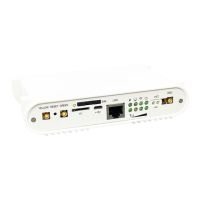
Winegard Gateway Pro GW-PRO1
24 pages
Print Icon
To Next Page IconTo Next Page
Loading...
Place label here
User Guide
4G LTE WIFI ROUTER
AIR
™
360
Plus ANTENNA REQUIRED FOR USE
2452438
Rev3 11-22
Models: GW-1000, GW-PRO1
WINEGARD
®
Gateway & Gateway Pro
Question and Answer IconNeed help?

Do you have a question about the Winegard Gateway Pro GW-PRO1 and is the answer not in the manual?

Summary

Gateway Specifications

Installation Steps: Initial Mounting

Accessing Ceiling Connections

Steps 1-2: Removing ceiling cap, pulling cables, and mounting the bracket.

Installation Steps: Wiring and Power

Power Wiring and Switch Installation

Steps 3-10: Connecting power cables, installing the wall switch, and making wiring connections.

Installation Steps: Final Connections

Connecting Antennas and Securing Unit

Steps 11-16: Connecting antennas, power, and securing the Gateway unit into place.

Gateway Installation Diagram

Web Operation: Initial Setup

Connecting and Logging Into Gateway

Steps 1-3: Powering on, connecting a device, and accessing the admin login page.

Web Operation: Network Connection

Connecting to Local WiFi Networks

Steps 4-5: Scanning for WiFi networks and entering the password to connect.

Web Operation: Cellular and Data

Connecting to 4 G LTE and Data Plans

Steps 6-7: Connecting via 4G LTE and managing data plan subscriptions.

Web Operation: Interface Navigation

Web Operation: Network Settings

Web Operation: Advanced Settings

Web Operation: Monitoring and Services

Web Operation: System Updates

Web Operation: Support

Adding a SIM Card: Installation

SIM Card Physical Installation

Steps 1-3: Removing the Gateway, locating the SIM slot, and inserting the new SIM card.

Adding a SIM Card: Verification

Troubleshooting: Connectivity Issues

Troubleshooting: Data and SIM Errors

Winegard Gateway Pro GW-PRO1 Specifications

General IconGeneral
Product TypeWireless Router
ModelGW-PRO1
ManufacturerWinegard
Wireless Standard802.11ac
Frequency Bands2.4 GHz, 5 GHz
USB Ports1
SecurityWPA2
Antennas2
Weight1.2 lbs
Power Supply12V DC
Maximum Data Rate867 Mbps (5 GHz) / 300 Mbps (2.4 GHz)
Ethernet Ports4
Cellular ConnectivityLTE

Related product manuals