EasyManua.ls Logo

Winegard TRAV'LER SK-73UP - User Manual

Winegard TRAV'LER SK-73UP
12 pages
Print Icon
To Next Page IconTo Next Page
Loading...
SK-73UP
MPEG-4 Upgrade Instructions
for TRAV’LER
®
Shaw Direct Antenna
Model SK-7003
Manuel disponible en français au www.winegard.com/travler-shaw
For Technical Services, email help@winegard.com or call 1-800-788-4417
Product Registration:
Please register your Winegard product by completing the online registration form
at http://www.winegard.com/registration.
2452441
Rev1 8-19
Question and Answer IconNeed help?

Do you have a question about the Winegard TRAV'LER SK-73UP and is the answer not in the manual?

Summary

IDU Reset

Power on IDU and enter user menu

Power on the IDU by holding the Power button for 3 seconds, then press ENTER.

Select Yes for user menu

Press SELECT to move the asterisk to 'Yes' and press ENTER to confirm.

Navigate to Installation menu

Press SELECT twice until 'Installation' is on the top line and press ENTER.

Enter password

Prompted to enter password, press ENTER four times.

Select Raise Antenna

Press SELECT until 'Raise Antenna' is on the top line and press ENTER.

Confirm Raise Antenna selection

Press SELECT to move the asterisk to 'Yes' and press ENTER.

Repeat Raise Antenna until Motor Stalled

Repeat the 'Raise Antenna' process until the 'Raise Antenna - Motor Stalled' message appears.

Power off IDU

Power off IDU by pressing and holding POWER and SELECT simultaneously.

Disconnect cables

Unplug 6-wire data cable and remove DC power cord from DC IN.

Reflector Removal

Remove reflector nuts

Remove 1/2" nuts from the back of the reflector using a 1/2" wrench.

Remove lower screws and coax cables

Remove lower 1/2" screws and disconnect coax cables using a 7/16" wrench.

Disconnecting Cables

Motor Mount Removal

Install New Electronics

Reinstall Data Cable

Install Reflector, LNBF and Feed Arm

Replace IDU

Summary

IDU Reset

Power on IDU and enter user menu

Power on the IDU by holding the Power button for 3 seconds, then press ENTER.

Select Yes for user menu

Press SELECT to move the asterisk to 'Yes' and press ENTER to confirm.

Navigate to Installation menu

Press SELECT twice until 'Installation' is on the top line and press ENTER.

Enter password

Prompted to enter password, press ENTER four times.

Select Raise Antenna

Press SELECT until 'Raise Antenna' is on the top line and press ENTER.

Confirm Raise Antenna selection

Press SELECT to move the asterisk to 'Yes' and press ENTER.

Repeat Raise Antenna until Motor Stalled

Repeat the 'Raise Antenna' process until the 'Raise Antenna - Motor Stalled' message appears.

Power off IDU

Power off IDU by pressing and holding POWER and SELECT simultaneously.

Disconnect cables

Unplug 6-wire data cable and remove DC power cord from DC IN.

Reflector Removal

Remove reflector nuts

Remove 1/2" nuts from the back of the reflector using a 1/2" wrench.

Remove lower screws and coax cables

Remove lower 1/2" screws and disconnect coax cables using a 7/16" wrench.
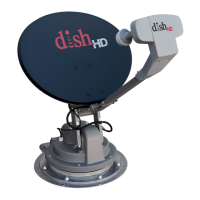
Disconnecting Cables

Motor Mount Removal

Install New Electronics

Reinstall Data Cable

Install Reflector, LNBF and Feed Arm

Replace IDU

Winegard TRAV'LER SK-73UP Specifications

General IconGeneral
BrandWinegard
ModelTRAV'LER SK-73UP
CategoryAntenna
LanguageEnglish

Related product manuals