EasyManua.ls Logo

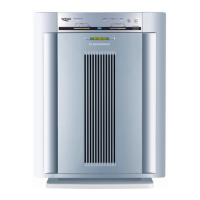
Winix PlasmaWave 5300 - User Manual

Winix PlasmaWave 5300
12 pages
Print Icon
To Next Page IconTo Next Page
Loading...
PlasmaWave
True HEPA Air Cleaner
Model 5300 Operators Manual
CAUTION:
Read and follow all
safety rules and instructions
before operating this equipment.
PlasmaWave
True HEPA Air Cleaner
WINIX INC.
120 Prairie Lake Rd., Unit E
East Dundee, IL 60118
USA
Please be sure to specify a model number.
Tel: 1.847.551.9900
Fax: 1.847.551.9200
Toll-free: 1-877-MY-WINIX (699-4649)
Email: info@winixinc.com
Website: www.winixinc.com
Please visit our website or contact us to
purchase Winix Replacement Filters.
NOTE: IF YOU EXPERIENCE A PROBLEM,
PLEASE CONTACT CUSTOMER SERVICE. RE-
FER TO YOUR WARRANTY. DEFECTIVE UNITS
SHOULD BE RETURNED TO THE PLACE WHERE
ORIGINALLY PURCHASED. DO NOT ATTEMPT TO
REPAIR THE APPLIANCE YOURSELF. DO NOT
OPEN THE MOTOR HOUSING; DOING SO WILL
VOID YOUR WARRANTY AND MAY RESULT IN
GREATER DAMAGE TO THE AIR CLEANER OR
PERSONAL INJURY.
© WINIX INC.
24
5300


Questions and Answers

  • K
    Kara SheltonAug 13, 2025
    How to reset the filter indicator on my Winix PlasmaWave 5300 Air Cleaner after replacing the filter?
    • W
      williamwilliamsAug 13, 2025
      If the REPLACE FILTER INDICATOR remains lit after replacing the True HEPA filter, press the FUNCTION and OFF TIMER buttons at the same time for five seconds. The REPLACE FILTER INDICATOR will flash five times and turn off.
  • I
    idennisAug 16, 2025
    What to do if my Winix Air Cleaner leaves smoke and odors in the air?
    • C
      Charles ValdezAug 16, 2025
      If your Winix Air Cleaner is not removing smoke and odors effectively, ensure the sensor is not blocked or clogged. Also, move the unit closer to where the odors are strongest and replace the filters if needed.
  • C
    collinslaurenAug 20, 2025
    What to do if my Winix PlasmaWave 5300 Air Cleaner seems to produce odors?
    • E
      eyatesAug 21, 2025
      If your Winix Air Cleaner seems to be producing odors, you should replace the filters as needed.
  • K
    Kenneth HarveyAug 25, 2025
    What to do if the air quality sensor light is green on my Winix PlasmaWave 5300 Air Cleaner but the air smells bad?
    • J
      Jennifer MosleyAug 25, 2025
      If the Air Quality sensor light on your Winix Air Cleaner is green but the air smells bad, the sensor may be blocked or clogged. Clear the Air Quality sensor with a vacuum cleaner.
  • S
    Samantha CollinsAug 28, 2025
    What to do if the air quality sensor light is orange or red on my Winix PlasmaWave 5300 but the air seems clean?
    • P
      popefredAug 28, 2025
      If the Air Quality sensor light on your Winix Air Cleaner is orange or red, but the air seems clean, the sensor may be blocked or clogged. Clear the Air Quality sensor with a vacuum cleaner.
  • A
    Anthony BrownAug 31, 2025
    Why does my Winix PlasmaWave 5300 make a ticking sound?
    • L
      Lawrence VillarrealAug 31, 2025
      A ticking sound from your Winix Air Cleaner indicates that the PlasmaWaveTM function is working. If the sound is distracting, you can turn off this function while you are in the room.
  • C
    Curtis GaySep 4, 2025
    What to do if my Winix Air Cleaner interferes with radio or television reception?
    • V
      Vincent WattsSep 4, 2025
      If your unit interferes with radio or television reception, here are a few things you can try: * Adjust the television/radio antenna for better reception. * Move the unit away from the affected television/radio. * Plug the unit power cord into an outlet different from the television/radio power cord.
  • P
    Patrick JohnstonSep 8, 2025
    What to do if my Winix Air Cleaner remote control does not work?
    • R
      Rhonda CantuSep 8, 2025
      If the remote control for your Winix Air Cleaner isn't working, first make sure the batteries are inserted correctly. If they are, try replacing the batteries, as they may be worn out.

Summary

Warranty Information

Package and Safety Instructions

Package Contents

Lists the items included in the air cleaner package.

General Safety Instructions

Provides crucial safety guidelines for using the air cleaner.

Important Cautions for Use

Highlights critical warnings to prevent damage or injury.

Important Usage Instructions

Offers essential guidance for optimal air cleaner operation.

Product Specifications

Air Cleaner Features and Operation

Ultra-Quiet Operation

Describes the multi-speed fan with quiet operation for nighttime use.

Easy Maintenance

Explains the simple and economical maintenance for the air cleaner.

Air Quality Sensor

Details the digital sensor that monitors air quality and adjusts fan speeds.

Simple Operation

Highlights the remote control and user-friendly display for convenience.

Energy Savings Mode

Explains the Energy Savings mode and Energy Star compliance.

Multi-Stage Cleaning Process

Details the three-stage cleaning process including Carbon, True HEPA, and PlasmaWave technologies.

Air Cleaner Setup Guide

Placement Guidelines

Provides instructions on where to place the unit for optimal air circulation.

Filter Installation

Step-by-step guide for removing packaging and installing filters correctly.

Power Connection

Instructions on how to plug in the power cord to a wall outlet.

Display Panel and Operation Modes

Display Panel Overview

Explains the function of each indicator and button on the display panel.

Automatic Operation

Unit automatically senses air quality and adjusts fan speed upon startup.

Manual Operation and Fan Speeds

Allows manual speed selection (1, 2, 3, TURBO) via unit or remote.

Sleep Mode Functionality

Unit operates quietly and dims lights when the room is dark.

Air Quality Sensor Indicator

Explains how the sensor indicates air quality levels and adjusts speed.

Remote Control Usage

Remote Control Preparation

Instructions for removing the back cover and inserting batteries.

Battery Usage Guidelines

Guidelines for initial battery use, replacement, and removal when not in use.

Remote Operation Conditions

Covers proper operating conditions and potential interference factors.

Remote Control Buttons

Explains functions of Power, Fan Control, Turbo, and Plasma On/Off buttons.

Care and Maintenance Procedures

Unit Cleaning

Instructions for cleaning the unit using dry or damp cloths, avoiding solvents.

Filter Replacement Guide

Details when to replace HEPA and Carbon filters and how to do it.

Troubleshooting Common Issues

Remote Control Not Working

Troubleshoots issues with the remote control not functioning.

Unit Emitting Smoke or Odors

Addresses problems related to the unit producing smoke or odors.

Air Quality Sensor Issues

Resolves problems where the sensor light does not match perceived air quality.

Unit Ticking Sound

Explains that a ticking sound may indicate PlasmaWave™ function is active.

Interference with Reception

Provides solutions for interference with radio or television reception.

Filter Indicator Remains Lit

Steps to reset the 'REPLACE FILTER' indicator after filter change.

Winix PlasmaWave 5300 Specifications

General IconGeneral
Model5300
TypeAir Purifier
TechnologyPlasmaWave
Coverage Area360 sq. ft.
CADR (Smoke)232
CADR (Dust)243
PlasmaWave TechnologyYes
Noise Level27.8 dB
Weight15.4 lbs
Filter Replacement IndicatorYes
Auto ModeYes
Sleep ModeYes
Number of Fan Speeds4
Power Consumption70 W
ColorWhite
Filter TypeTrue HEPA

Related product manuals