7
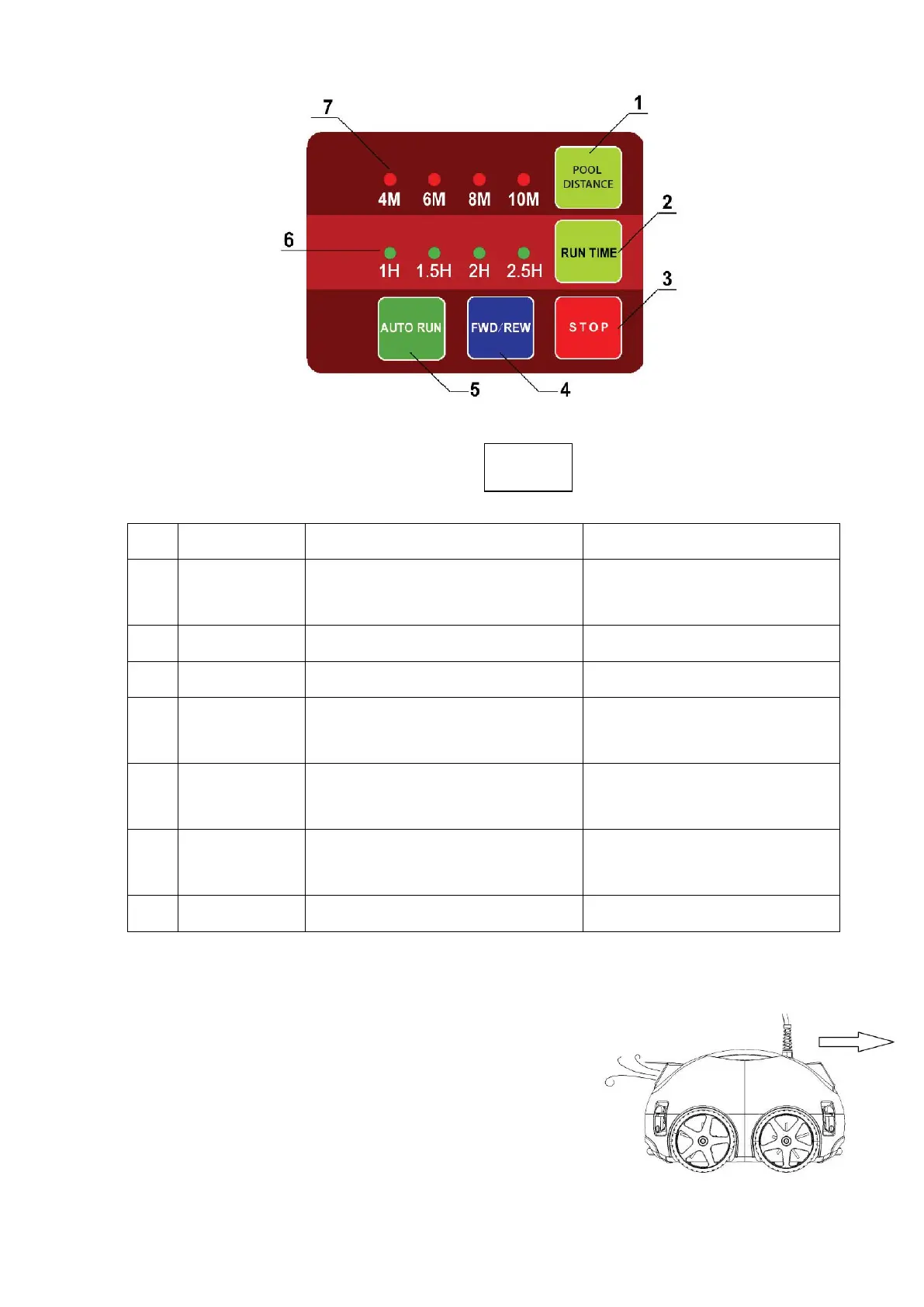
5.2 Panel operation
Chart 5-1. Buttons & indicator lights instructions
5.3 Function and adjustment of nozzle
There are two nozzles on the cleaner (as shown in Fig.5.4), one of them opens once the
other closes. Water flows out through the opening nozzle to
thrust the cleaner move forward. Operator can adjust the
nozzle direction through rotating it by which to control the
moving path of the cleaner..
Item
Name Specification Function
1
POOL
DISTANCE
Pool distance selection button Select based on pool width
2 RUN TIME Auto running time selection button
3 STOP Stop button
4 FWD/REW Manual forward/backward button
To move the cleaner to a certain
location
5 AUTO RUN Automatic working button
Cleaner starts running in
automatic program
6
Automatic working time indicator
light
7 Pool width indicator light
Fig.5-3
Fig. 5-4


 To Next Page