7
PHOTO
Press this button, the list of photo
documents in storage media will display.
MOVIES
Press this button, the list of film
documents in storage media will display.
Basic operation
Usage preparing
1. Power connection
Take out power adapter from the package and connect
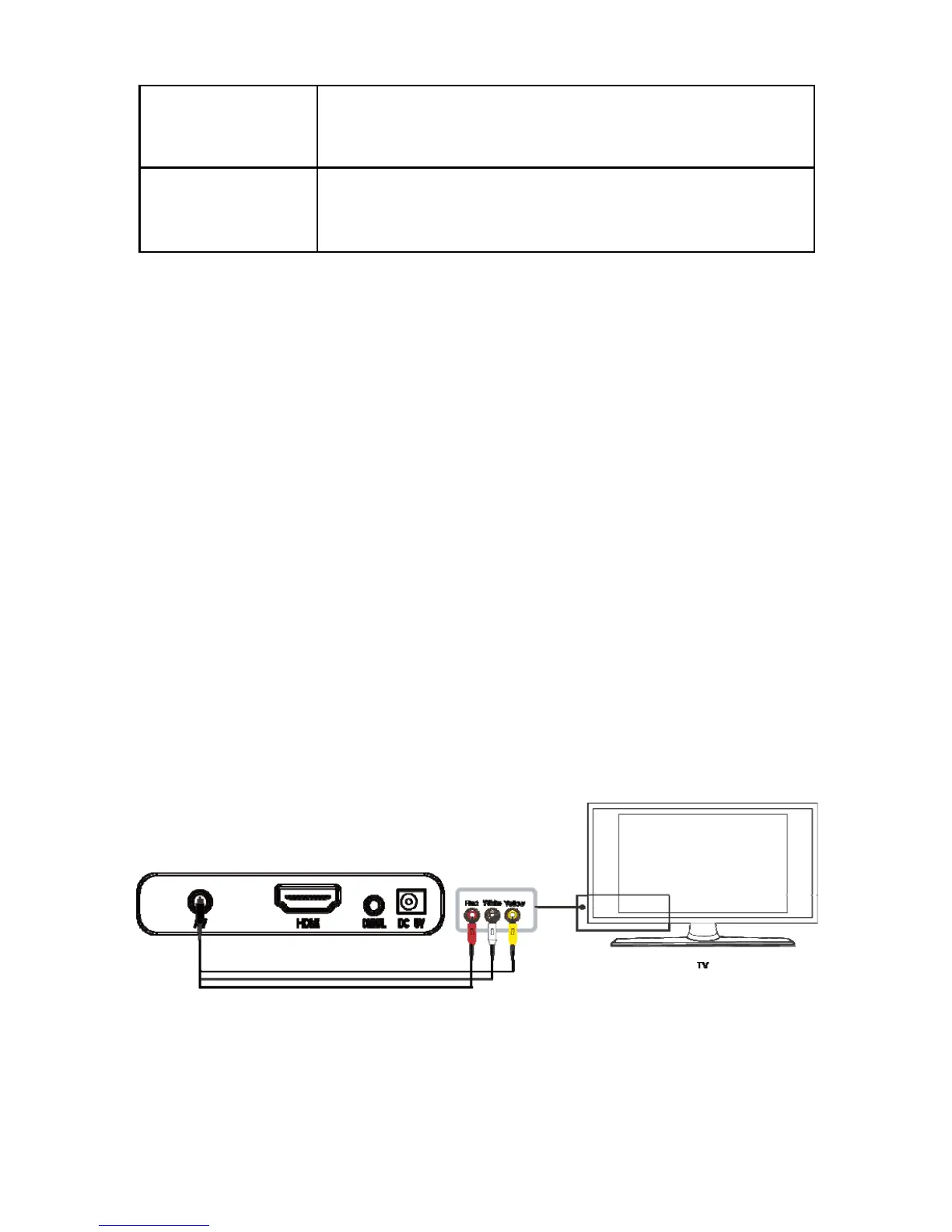
2. Connection of TV audio and video output
The product is designed with multiple outputs, including
composite (AV), digital coax and HDMI. Individuals can
select different interfaces according to their needs. The
product can detect video output automatically, making the
operation friendly and convenient. Please refer to the
following instructions for connection to avoid any problem.
Composite output connection (AV)
Plug the yellow connector into the AV output of product
and AV input of TV, and plug the red and white


 To Next Page