28 29
Your lawnmower will live longer and healthier if it is allowed to hibernate. So
even though it is troublesome, we recommend storing your lawnmower in your
shed or garage during the winter. Before you prepare your lawnmower for winter
hibernation, we recommend you:
1. Thoroughly clean your lawnmower.
2. Fully charge the battery and remove it from lawnmower.
3. Turn power off.
4. To maximize the battery life, fully charge the battery and remove it from
lawnmower before storage during winter.
WARNING: Protect the underside of lawnmower from water. NEVER store
lawnmower upside down outdoors.
9.4 Replacing the battery
WARNING: Power off before attempting any adjustment, replacement or
repair. Before replacing the blades, turn your lawnmower OFF and put on
protective gloves.
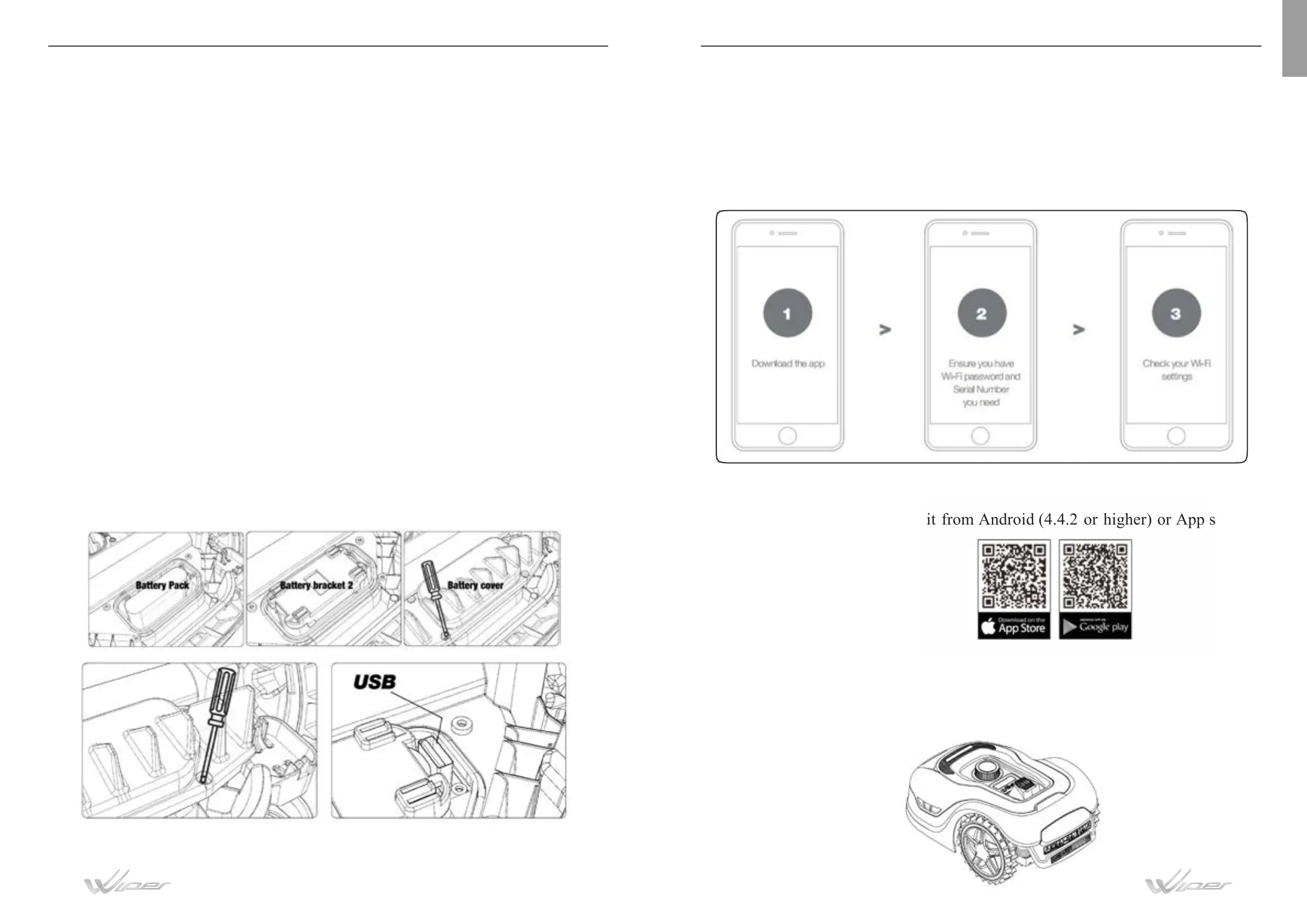
If you need to replace the battery, follow these steps:
1. Turn your lawnmower upside down.
2. Remove the screws on the battery cover. Remove the battery cover.
3. Lift out the old battery carefully.
4. Press the latch and release the connectors. NOTE: Do not pull by the cables. Hold
the connectors and release the latch. Connect a new original battery by attaching the
connectors until they click into position.
5. Fit the battery as shown, place the cover back in its position and tighten screws.
APP AND IOT (only for POP5S)
Robotic lawnmower is an IOT (internet of things) device. To get full functionality
out of your lawnmower and keep it always updated to the latest software, it must
connected to the internet via your WIFI 2.4G or Bluetooth 4.0 (only for WIPOP5S)
Your WIFI network password.
Lawnmower serial Number. it can be found in the label under the rear bonnet
of the machine.
If you don’t want to type the serial Number, input it by scanning the QR code
with your phone’s camera.
Download the free app first, get it from Android (4.4.2 or higher) or App stores (iOS
11 or higher).
EN


 To Next Page