8
4.2 Charging Indication
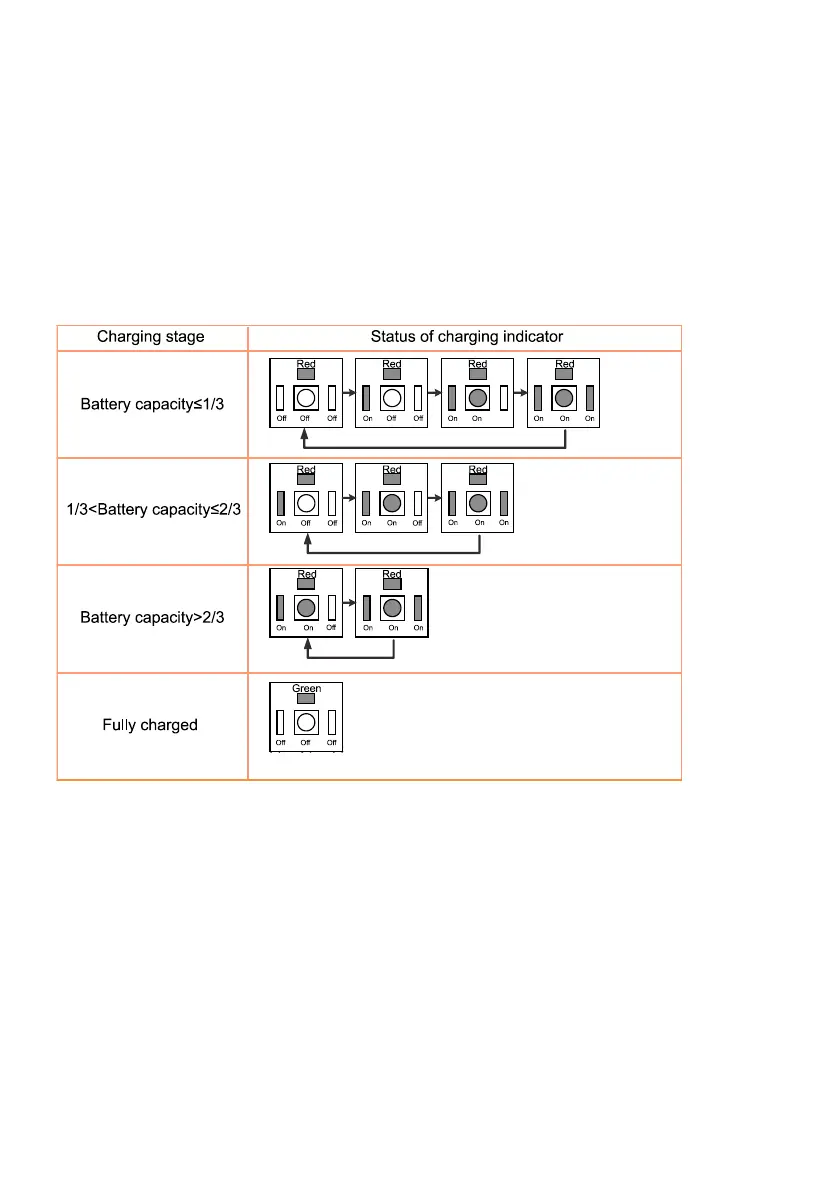
WISDOM LAMP 4 has an indicator for the charging situation. When the indicator turns red, which
means it’s charging; when the indicator turns green, which means it is fully charged. During the
progress of charging, the soft lighting of the main and auxiliary light source can indicate the
charging situation.
After the lamp completes the charging, the indicator turns green from red, and the main and
auxiliary light source are both off.
All the indictors are as follows:
Note: The cap lamp battery indications just a general one, just for your reference.



 To Next Page