9
4.3 Switch
4.3.1 General lighting mode
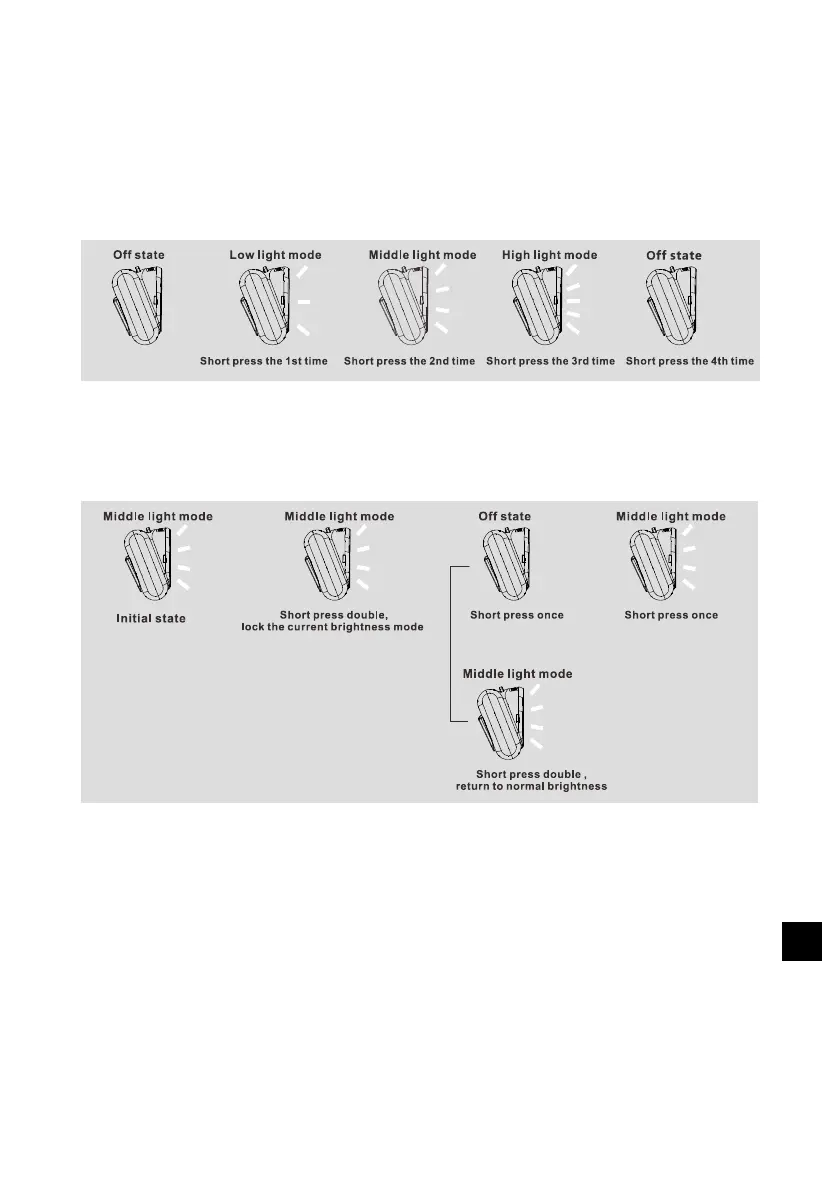
Pressing the switch button once when the light is off, it will be into low light mode; pressing
second, it will be into middle light mode; pressing third, it will be into high light mode. The details
are as follows:
4.3.2 Customized locking mode
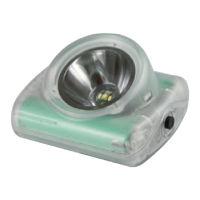
Pressing the button double shortly ( within 3s ) when the light is on, it will lock the current
brightness mode. Pressing double again, it will unlock the brightness mode. The details are as
follows:



 To Next Page