EasyManua.ls Logo

Wisi OM 10 0646 - User Manual

Wisi OM 10 0646
48 pages
Go to English
Print Icon
To Next Page IconTo Next Page
Loading...
Betriebsanleitung
Operating instructions
OM 10 0646 WISI Micro Headend Mehrkanal Transmodulator mit CI
OM 10 0648 WISI Micro Headend Mehrkanal Transmodulator mit CI
Transmodulator von 6 DVB-S/S2 Transpondern in 6 DVB-T Kanäle (OM 10 0646)
Transmodulator von 6 DVB-S/S2 Transpondern in 8 DVB-T oder 8 DVB-C Kanäle (OM 10 0648)
Eingebaute 4 in 6 Verteilmatrix minimiert den Montageaufwand und DiSEqC 1.0 erhöht die
Flexibilität
4 CI Slots für die zentrale Entschlüsselung von Pay-TV
PID Remapping (Hotel Mode) ermöglicht am Ausgang eine statische Service ID. Bei
Programmänderungen am Eingang entfällt somit ein neuer Suchlauf am TV-Gerät bzw. Receiver
LCN / NIT Bearbeitung
Multiplex-Funktionalität am Eingang sowie am Ausgang
Einspeisung von Videos z.B.: Hotelinformationen oder Werbefilme
Programmierung über Weboberfläche
Integrierter DHCP-Server, automatische Verbindungsaufnahme mit dem PC
Bluetooth-Zugang für Smartphone und Tablet
Question and Answer IconNeed help?

Do you have a question about the Wisi OM 10 0646 and is the answer not in the manual?

Summary

Safety and Installation Notes

General Safety and Installation Precautions

Covers grounding, cable placement, environment, and service precautions for safe operation.

Hardware Overview and Mounting

Device Connectors Description

Details the function of each physical port on the headend unit.

Wall Mounting Options

Explains methods for wall mounting the device, including hole distances.

Device Configuration and Operation

Web Interface Programming Basics

Guides on accessing and using the web interface for initial device configuration.

System Settings Configuration

Configures core system parameters like network, DHCP, and language.

Input Signal Configuration

Details settings for satellite inputs, including LNB voltage and DiSEqC protocols.

LNB Overload Handling

Explains how to identify LNB overload conditions and interpret tuner LED indicators.

Remux Functionality Overview

Introduces the remultiplexing capabilities and usage of transparent transmodulation.

OMTS Video File Generation and Upload

Guides on creating custom video files in OMTS format and uploading them to the headend.

Network and EIT;NIT Routing

Covers network ID, name, and EIT/NIT routing settings for transmodulation.

CAM Module Configuration

Details the configuration and operation of Conditional Access Modules for decryption.

DVB-T Output Settings

Configures output parameters for DVB-T channels, including frequency and bandwidth.

DVB-C Output Settings

Configures output parameters for DVB-C channels, including frequency and symbol rate.

File Browser Operations

Describes storing and managing configuration (CFG) and video (OMTS) files.

Software Update Procedure

Guides on checking device information and performing software and firmware updates.

Hotel Mode Features

Explains how to activate and utilize Hotel Mode for static service IDs and audio lines.

Hotel Mode Remux Settings

Details remux table configuration for Hotel Mode, including slots and services.

Bluetooth Connectivity and App Usage

Guides on establishing a Bluetooth connection and using the WISI OM Manager app.

Technical Specifications

Input and Processing Specifications

Lists detailed input parameters, QAM, and COFDM processing specs.

Output and Connector Specifications

Details output parameters for DVB-T/C, connectors, and general device data.
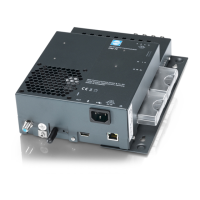
Wisi OM 10 0646 Specifications

General IconGeneral
BrandWisi
ModelOM 10 0646
CategoryModulator
LanguageEnglish

Related product manuals