EasyManua.ls Logo

Wisi OM 10 0648 - User Manual

Wisi OM 10 0648
48 pages
Go to English
Print Icon
To Next Page IconTo Next Page
Loading...
Betriebsanleitung
Operating instructions
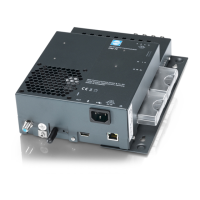
OM 10 0646 WISI Micro Headend Mehrkanal Transmodulator mit CI
OM 10 0648 WISI Micro Headend Mehrkanal Transmodulator mit CI
Transmodulator von 6 DVB-S/S2 Transpondern in 6 DVB-T Kanäle (OM 10 0646)
Transmodulator von 6 DVB-S/S2 Transpondern in 8 DVB-T oder 8 DVB-C Kanäle (OM 10 0648)
Eingebaute 4 in 6 Verteilmatrix minimiert den Montageaufwand und DiSEqC 1.0 erhöht die
Flexibilität
4 CI Slots für die zentrale Entschlüsselung von Pay-TV
PID Remapping (Hotel Mode) ermöglicht am Ausgang eine statische Service ID. Bei
Programmänderungen am Eingang entfällt somit ein neuer Suchlauf am TV-Gerät bzw. Receiver
LCN / NIT Bearbeitung
Multiplex-Funktionalität am Eingang sowie am Ausgang
Einspeisung von Videos z.B.: Hotelinformationen oder Werbefilme
Programmierung über Weboberfläche
Integrierter DHCP-Server, automatische Verbindungsaufnahme mit dem PC
Bluetooth-Zugang für Smartphone und Tablet
Question and Answer IconNeed help?

Do you have a question about the Wisi OM 10 0648 and is the answer not in the manual?

Summary

Safety and Installation Notes

General Safety Precautions

Covers mains voltage, grounding, moisture, and general dangers.

Programming via Web Interface

Accessing and Logging into the Web Interface

Steps for establishing an Ethernet connection and logging in with user credentials.

System Settings

Input Settings

Satellite Input and LNB Settings

Configuring satellite inputs, LNB power, and polarization.

LNB Overload

Input Overload Indicators and Safety

Identifies overload conditions and corresponding LED indicators.

Remux

Remux OMTS

OMTS File Creation Tool

Instructions for using the TS Conversion tool to create .omts files.

Video File Management

Uploading and Managing Video Files

Steps for selecting, uploading, playing, downloading, and deleting video files in the file browser.

Remux Info

Multiplexed Service Data Overview

Displays used data rate per output channel and multiplexed services.

CAM

CAM Module Information and Settings

Details on CAM validity, software version, type, clock/data rate, and service insertion.

Output Settings DVB-T

Output Channel Configuration

Settings for output name, status, frequency, and bandwidth for DVB-T.

Output Settings DVB-C

Output Channel Configuration (DVB-C)

Settings for output name, status, frequency, and symbol rate for DVB-C.

Update

Device Information and Update Procedure

Displays device details and instructions for updating software.

Hotel Mode

Hotel Mode Advantages and Setup

Benefits of Hotel Mode, static service IDs, and audio line configuration.

Hotel Mode Remux

Wisi OM 10 0648 Specifications

General IconGeneral
Input frequency range47-862 MHz
Output frequency range47-862 MHz
Output level110 dBµV
Frequency range47-862 MHz
TypeModulator
Return Loss>12 dB
Power Supply230 V AC
Operating Temperature0°C to +50°C

Related product manuals