- 11 -
On the handle bars
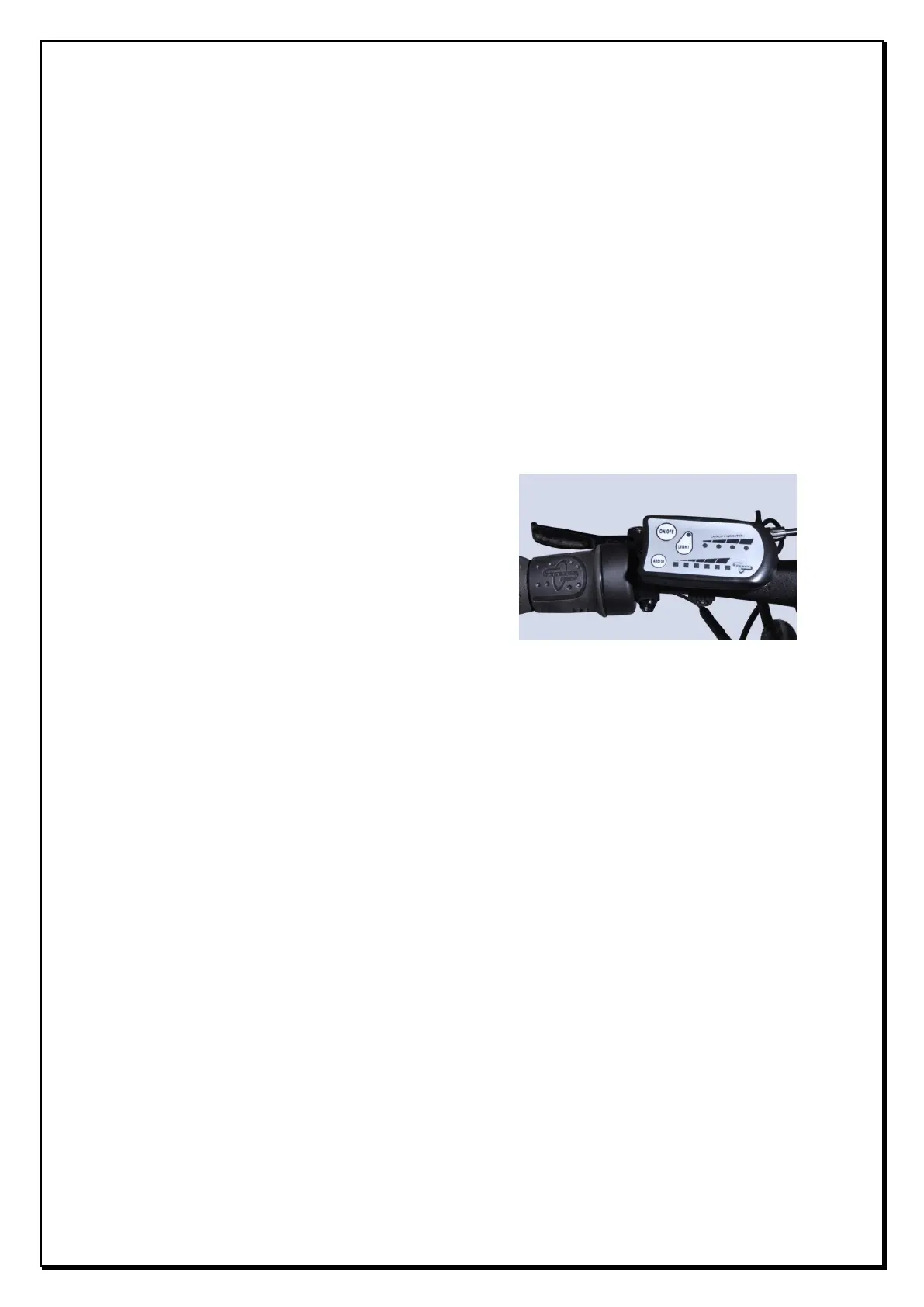
10 The ON/OFF button and Light Button
10.1 To turn the power on so the pedelec and throttle work simply press the ON/OFF
button once, the lights will illuminate showing the power is on. When the
ON/OFF button is pushed again and the capacity indicator lights go out you have
turned the bike “off”. When the bike is “off” you will not get any assistance from
the battery and motor and the bike is effectively simply an unpowered push
bike. The 4 capacity indicator lights provide an indication of battery capacity
remaining with 4 lights indicating the battery is at full capacity. The display also
incorporates a diagnostic function as shown in section 8. If any of the lights
flash continuously refer to the above section for the description of the fault.
10.2 The LIGHT button can be found close to ON/OFF button. If you press it when the
bike power is on, the LED headlight on the front fork and rear light will
illuminate. Press it again to switch of the lights. The power for the light comes
from the bike battery. Due to a low power consumption use of the lights will not
reduce your range.
11 The Throttle
11.1 The twist grip throttle can be found on the left hand side of the handlebars.
Further details of the operation are provided below.
12 Pedelec mode and ASSIST mode
12.1 When you first ride your Wisper bike you will notice that after one turn of the
pedals the motor will start working assisting you ride the bike by adding power
to the back wheel. This is the standard or pedelec mode. To continue using the


 To Next Page