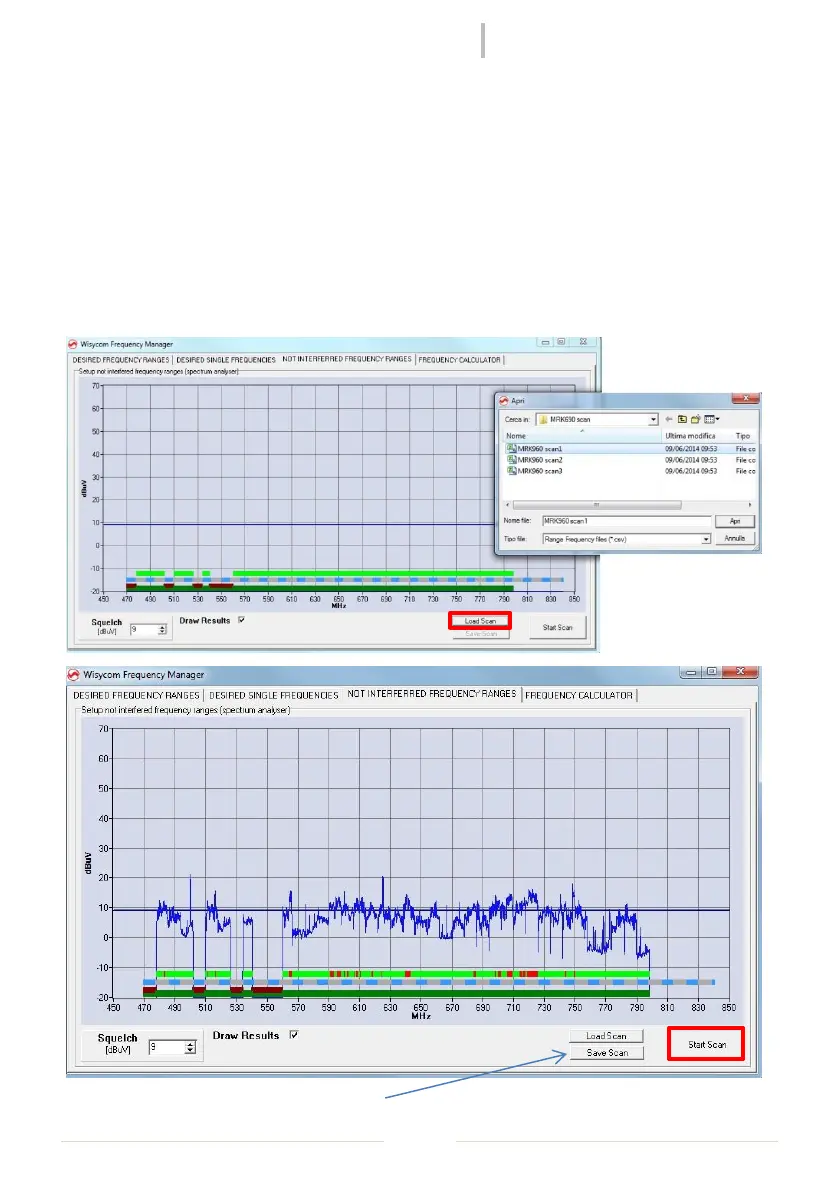
Before starting the frequency calculation, select “NOT INTERFERRED FREQUENCY RANGES”
panel to load a previous frequency scan (.csv file) or make a new one in the allowed ranges.
In the graphic there are three bar:
a dark green and brown/red bar that show the allowed (dark green) and forbidden
(brown/red) ranges set in the first panel
an alternating blue and grey bar that show the DVB-T channels
a light green bar in the allowed ranges that become red where the RF level > Squelch
level (settable in the squelch box under the graphic). During the calculation of the
frequencies, the calculator will consider only the frequency range where this bar is
light green
The new scan can be saved with Save Scan



 To Next Page