EN - 19
Withings Pulse ™
v1.0 | April, 2015
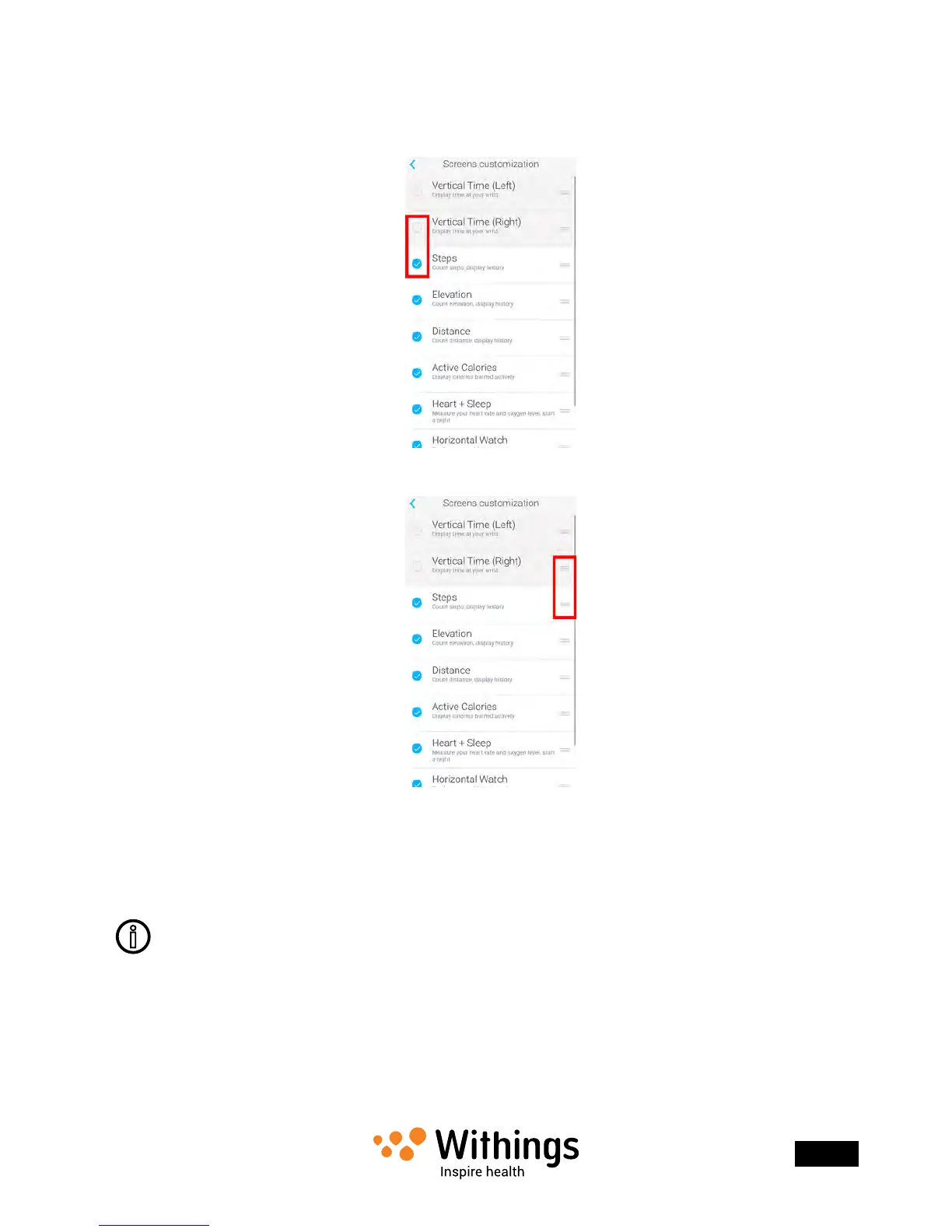
5. Select the screens you want to display:
- Tap the blue circles on the left to hide a screen.
- Tap the empty circles on the left to display a screen.
6. Tap and hold the icon on the right to drag a screen up or down.
7. Tap the back button to conrm.
8. Synchronize your Withings Pulse ™ with your app to nalize the change.
Press the button of your Withings Pulse ™ for three seconds to force
the synchronization.
Selecting or deselecting screens has no impact on the data that is sent
to the Withings Health Mate ™ app. For example, even if you choose not to see
the Active Calories screen, your active calories burned will be sent
to the Withings Health Mate ™ app.


 To Next Page