EN - 8
Withings Pulse ™
v1.0 | April, 2015
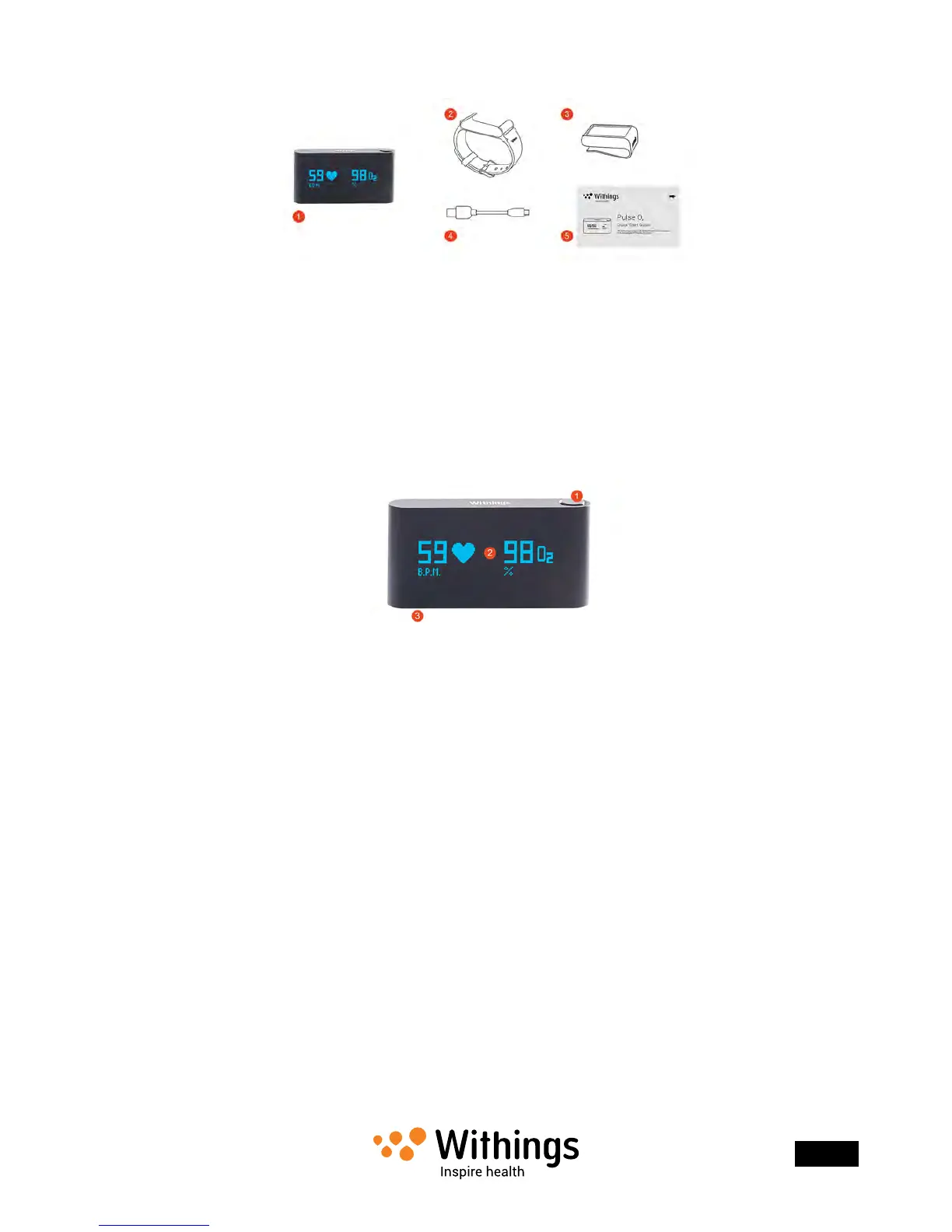
Withings Pulse ™ O2/Ox
(1)Withings Pulse ™ O2/Ox
(2) Silicone wristband
(3)Belt clip
(4) Micro USB to USB cable
(5)Quick start guide
Device Description
(1)Button (2)Touch screen (3)Charging connector
Screens Description
You can select a number of screens to be displayed on your Withings Pulse ™:
• Vertical Time (Left): to display time vertically if you wear your Withings Pulse ™
on the right wrist
• Vertical Time (Right): to display time vertically if you wear your Withings Pulse ™
on the left wrist
• Steps: shows your number of steps
• Run: shows the distance and the speed of your run (from the Steps screen)
• Elevation: shows your elevation gain
• Distance: shows your distance
• Active Calories: shows the number of calories you burned actively
• Heart + Sleep: allows you to run the sleep mode or take heart rate and SpO2
measurements


 To Next Page