EN - 35
Withings Thermo
v1.0 | July 2016
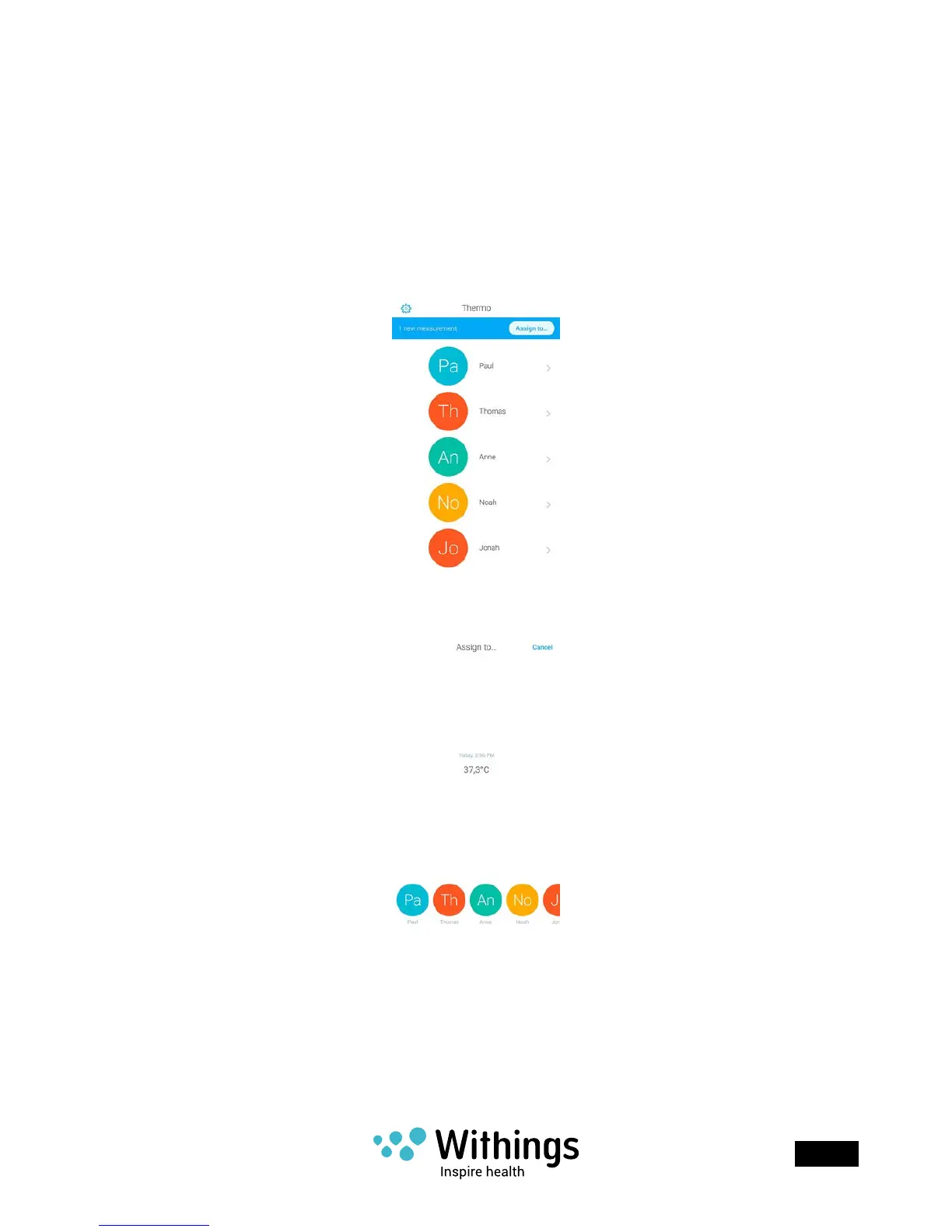
Assigning a measurement
Assigning an unassigned measurement
If you’ve taken a measurement using your Withings Thermo but didn’t assign it right away,
you can do so from the Withings Thermo app. To do so, perform the following steps:
1. Open the Withings Thermo app.
2. Tap Assign to��� in the top banner.
It may take a few seconds for this banner to appear in the app as the app needs to sync
with your Withings Thermo rst.
3. Select the measurement and tap the user prole you want to assign it to.
Reassigning a measurement
If you’ve accidentally assigned a temperature measurement to the wrong user prole,
you can correct this anytime you want. To do so, perform the following steps:
1. Open the Withings Thermo app.



 To Next Page