
 Need help?
Do you have a question about the WITRN Qway U2p and is the answer not in the manual?
Details the various input/output ports including USB-A, Type-C, and MicroUSB.
Explains the specific button functions for U2 and U2p models.
Critical input/output voltage and current withstand power warnings for the U2 device.
Lists the technical specifications of the U2 device, including voltage, current, and resolution.
General guide on button operations and their functions across different modes.
Explanation of the PD toggle switch function and its modes (On/Off).
Describes the functions of the 'Ok' and 'm' keys within the P1 menu.
Explains various status icons like Gesture, Serial Comm, USB Status.
Details the P2 menu for capacity display and group records.
Covers integrated information, including current thresholds and recording capacity.
Steps for using the offline curve function to record charging data.
Details the P3 menu for measuring equivalent internal resistance.
Explains the P6 menu for measuring wire line resistance.
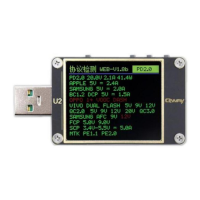
Describes the P4 menu for displaying fast charge protocols and temperatures.
Explains various curve display modes like voltage, current, and oscilloscope.
Instructions for activating the fast charge protocol detection trigger.
Explains automatic detection and protocol color coding for fast charging.
Explains general trick menu operations and button actions.
Details QC2.0 and QC3.0 phishing menu controls and functions.
Guide for converting QC charging heads to PD protocol output.
Details PD2.0 and PD3.0/PPS/QC4+ phishing menu controls.
Explains button functions for PD sniffing and packet capture.
Steps for connecting U2 with PD devices for monitoring.
Details the process and controls for detecting Apple PD chargers.
Explains the E-Marker wire inspection function and its controls.
Describes the MFI wire inspection function and its testing controls.
Details controls for detecting Huawei FCP, SCP, and Super SCP protocols.
Explains controls for Samsung AFC and OPPO VOOC/DASH protocols.
Details controls for Vivo dual engine flash charging detection.
Explains controls for Apple charging acceleration features.
Describes managing low-current charging for devices like headsets.
Overview of the parameter setting menu and its options.
Explains button functions ('m' and 'Ok' keys) within the setup menu.
Step-by-step guide for upgrading the device firmware using PC software.
Warnings regarding voltage limits, port usage, and high temperatures.
 General
| Brand | WITRN |
|---|---|
| Model | Qway U2p |
| Category | Test Equipment |
| Language | English |

 To Next Page