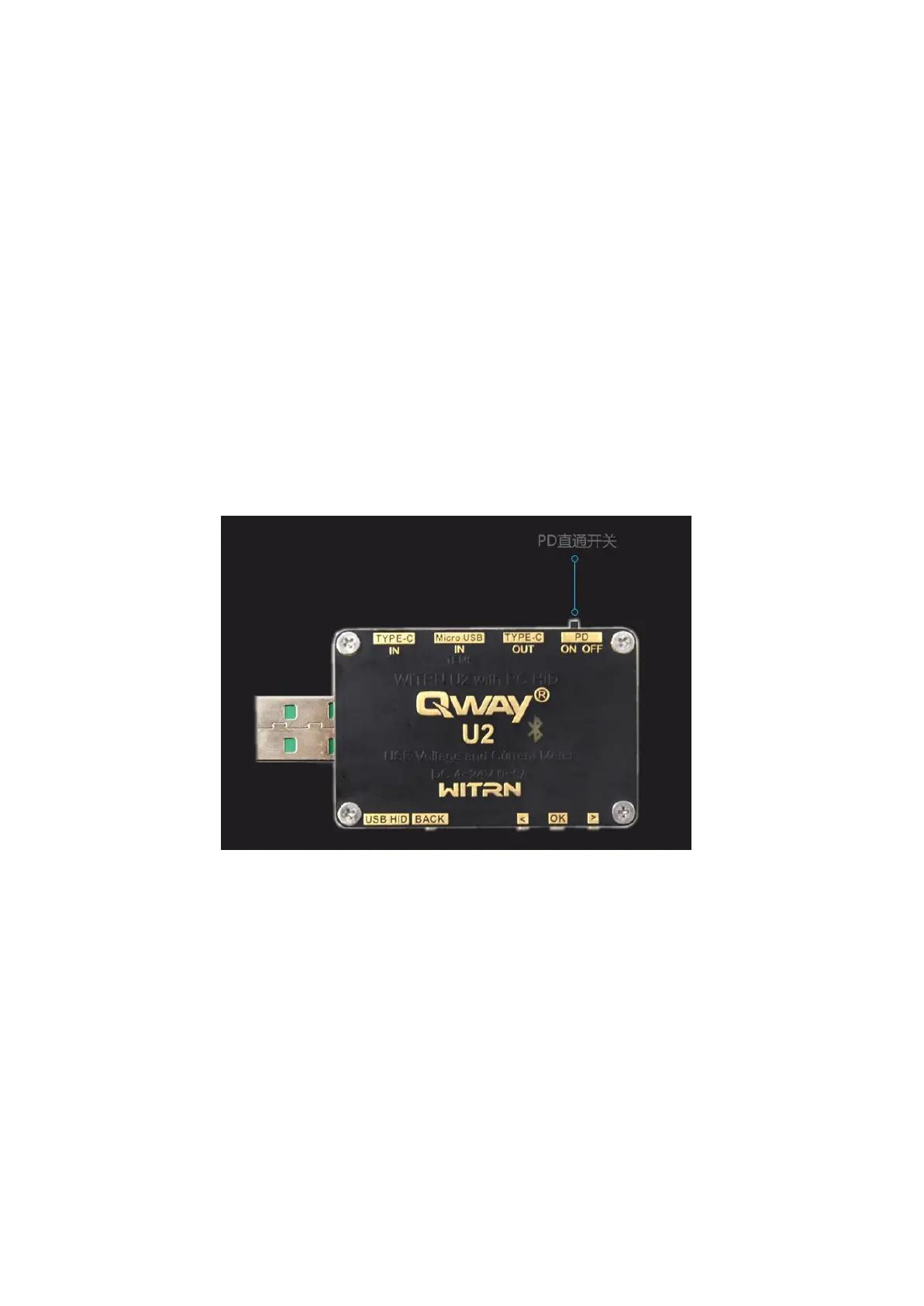
Button usage instructions:
General description of the button:
U2 m button: (except the curve menu) U2p ">" button
Short press to switch menu/long press wake-up function (partial menu
switching direction)
U2 Ok button: (multi-function button)
U2p
“
OK
”
button screen capture or
switch function button
Look at each menu description
U2p physical pd toggle switch:
On:u2p internal pd chip connected to type-c interface
At this time, U2p is a PD load, which can use PD detection, PD
spoofing, Emarker wire detection, QC to PD, PD monitoring, etc.
OFF: The internal PD chip of the U2P is
physically disconnected from the TYPE-C interface.
The PD function of the U2p is disabled.
U2p and PD chargers are connected separately at this time, U2p will
not work, black screen
Off mode function: (through mode)
9/44


 To Next Page