Seite 22 von 38
Reduced function up to the danger of electric shock!
Please do not expose the device to excessive soiling (lint, dust, moisture) and
excessive (sun) light.
Information to improve safety!
Please contact us, the manufacturer, as indicated in chapter 12, with any questions
regarding the use, maintenance and care of the device.
Report any unexpected function or event to us. This information will help us to
improve the safety of the device.
Please continue to observe the warnings in the following sections of these operating instructions.
2. Overview of start-up
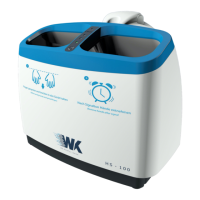
The following brief overview refers to the individual product components presented in chapter 5.
1. Unpack HS-100
2. Insert the air filter on the underside of the appliance; Caution: Do not unpack the air filter until
immediately before inserting it into the appliance
3. Remove the cover cap
4. Remove bottle with purified water
5. Put on the blue drain cap for the water bottle (see picture 4)
6. Put bottle with purified water into the HS-100
7. Push the water bottle with pure water down until the bottle audibly clicks into place
8. Put on the cover cap and lock it
9. Make the connection from the power supply unit to the appliance
10. Connect the power supply unit to the mains supply
11. Switch on the device.
12. ON/OFF symbol flashes green à HS-100 is ready for operation.
13. If the orange LED lights up, please remove the bottle and reinsert it (repeat again if
necessary) to ensure that the HS-100 is sufficiently filled.
14. Insert hands into the hand chambers
15. In case of error message see chapter 8


 To Next Page