15
1 2
4 65
3
1 2
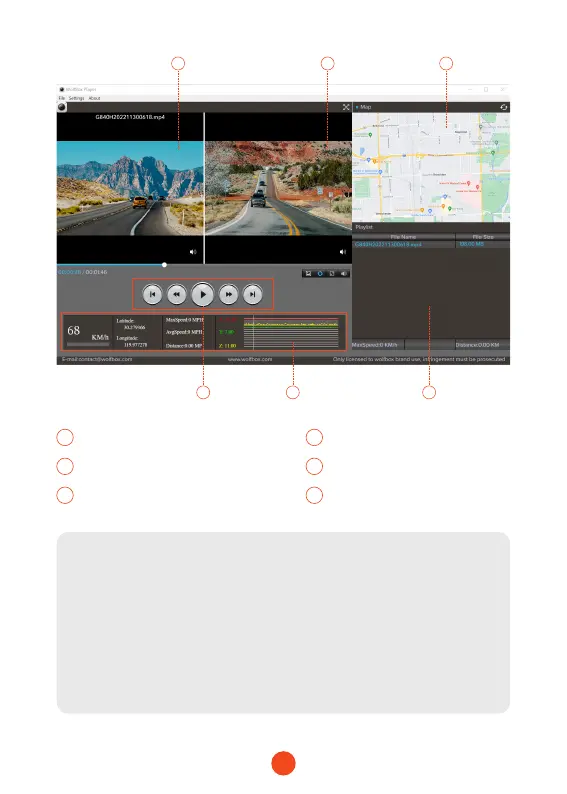
Video play window (Front) Video play window (Rear)
3 4
Map and track display Play control panel
5 6
Speed and driving state indication Play list
Note:
If the video les of front and rear road tracks are recorded
synchronously and loaded into the playing list at the same time,
they can be played separately in split left and right screens.
When you nd the desired video le, hold down the left mouse
button and drag the desired les to the video play window to
play it.



 To Next Page