6
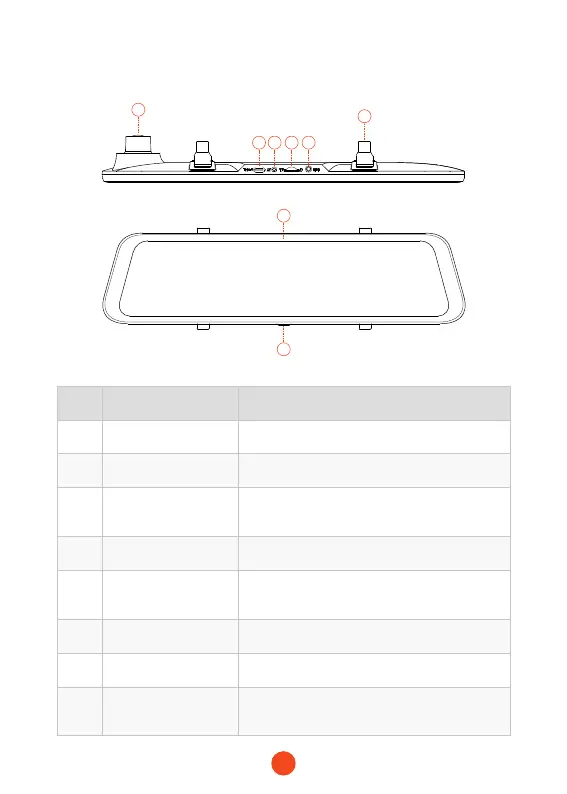
Appearance
1
7
8
2 3 4 5
6
NO. Name Description
1 len
Front len, record the front image of the car
2 Power connector
Port for charging
3
Rear camera
connector
Port used to connect the rear camera
4 TF card slot
Provide extensible storage (class 10 Max 256GB)
5 GPS connector
Used to connect GPS port
(GPS function requires optional GPS antennal)
6 Fasteners
The machine can be held in position with 2 straps
7 Display screen
12 inches touch screen display
8 Power button
Short press to wake up and turn off the screen,
long press to turn on and off the power



 To Next Page