EasyManua.ls Logo

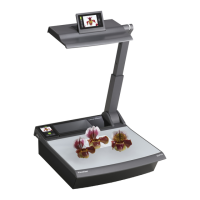
WolfVision VZ-P18 - User Manual

WolfVision VZ-P18
56 pages
Print Icon
To Next Page IconTo Next Page
Loading...
Check out our Internet Homepage for additional information
www.wolfvision.com/support
VZ-P18 / VZ-P38
INSTRUCTIONS
BEDIENUNGSANLEITUNG
INSTRUCTIONS
BEDIENUNGSANLEITUNG
ENGLISH / DEUTSCH
VZ-P18 / VZ-P38
R

Table of Contents

Question and Answer IconNeed help?

Do you have a question about the WolfVision VZ-P18 and is the answer not in the manual?

Summary

Precautions

Laser Pointer Safety

Safety guidelines specific to the laser pointer function.

Components of the Visualizer

Visualizer Component Identification

Labeled diagram identifying key parts of the visualizer unit.

Setting Up the Visualizer

Basic Preparations and Setup

Step-by-step guide for initial setup and power-on.

Control Panel and Remote Operation

Synchronizing Remote Control

Procedure to synchronize the touch remote control with the visualizer.

Touch Remote Control and Battery

Information on the remote control's battery and charging.

Visualizer Control Screens

HOME Screen Functions

Description of the primary functions accessible from the HOME screen.

Image Memory and Review

MEMORY Screen Operations

How to store, recall, and manage images in internal memory.

On-Screen Menu and Tool Box

MENU Screen Navigation

How to navigate the visualizer's on-screen menu system.

Infrared Remote Control

Remote Control Functions

Explanation of buttons like Laser Pointer, Zoom, Focus, Preset, Freeze.

Image Adjustment Controls

Zoom and Focus Operations

How to use zoom and autofocus for image clarity.

Auto Iris and Manual Iris

Explanation of brightness adjustment via auto or manual iris.

Preset Functionality

Storing and recalling custom settings using presets.

Color and Text Enhancements

White Balance Adjustment

How to achieve accurate color reproduction using white balance settings.

Image Storage and Management

Image Memory Operations

Storing, recalling, and managing up to 9 images internally.

External Connectivity

Video Output Configuration

On-Screen Menu and Help System

On-Screen Menu Navigation

Detailed guide to navigating menu options and help functions.

Maintenance Procedures

Technical Data and Specifications

Detailed Technical Specifications Table

Comprehensive list of technical data for VZ-P18 and VZ-P38 models.

WolfVision VZ-P18 Specifications

General IconGeneral
BrandWolfVision
ModelVZ-P18
CategoryHeadlamp
LanguageEnglish

Related product manuals