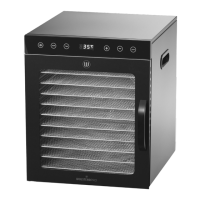
WOLSTEAD PRO 10 TRAY DEHYDRATOR OWNER’S MANUAL 15
TROUBLESHOOTING
Dehydrator does not
turn on
Make sure the power cord is properly secured into the
socket and that the switch is turned to the ‘ON’ position.
Fan is working but there
is no heat
Turn the dehydrator off. Bring back to your nearest
Kitchen Warehouse store.
Heater is working but
the fan is not
working
Turn the dehydrator off. Check to see if there is an
external object stuck in the fan once the unit is off and
completely cooled. If still not working, bring it back to
your nearest Kitchen Warehouse store.
Not dehydrating
correctly
There may be too much food on the tray so reduce the
food quantity.
Water drops on the door There may be too much food on the tray so reduce the
food quantity.
Food contains too much water. Reduce the food
quantity and increase dehydrating time.
Overheating or little
heating
Temperature control system is not working properly.
Turn the machine OFF and bring it to your nearest
Kitchen Warehouse store.
Foods are not evenly
dehydrated
The thickness of the food is not even, ensure it’s evenly
sliced.
There may be too much food on the tray, reduce the
quantity of food on the tray(s).
Abnormal sound from
the fan
Screen cover in front of the fan is rubbing the fan blade.
Turn off the machine and unplug from power.


 To Next Page