19
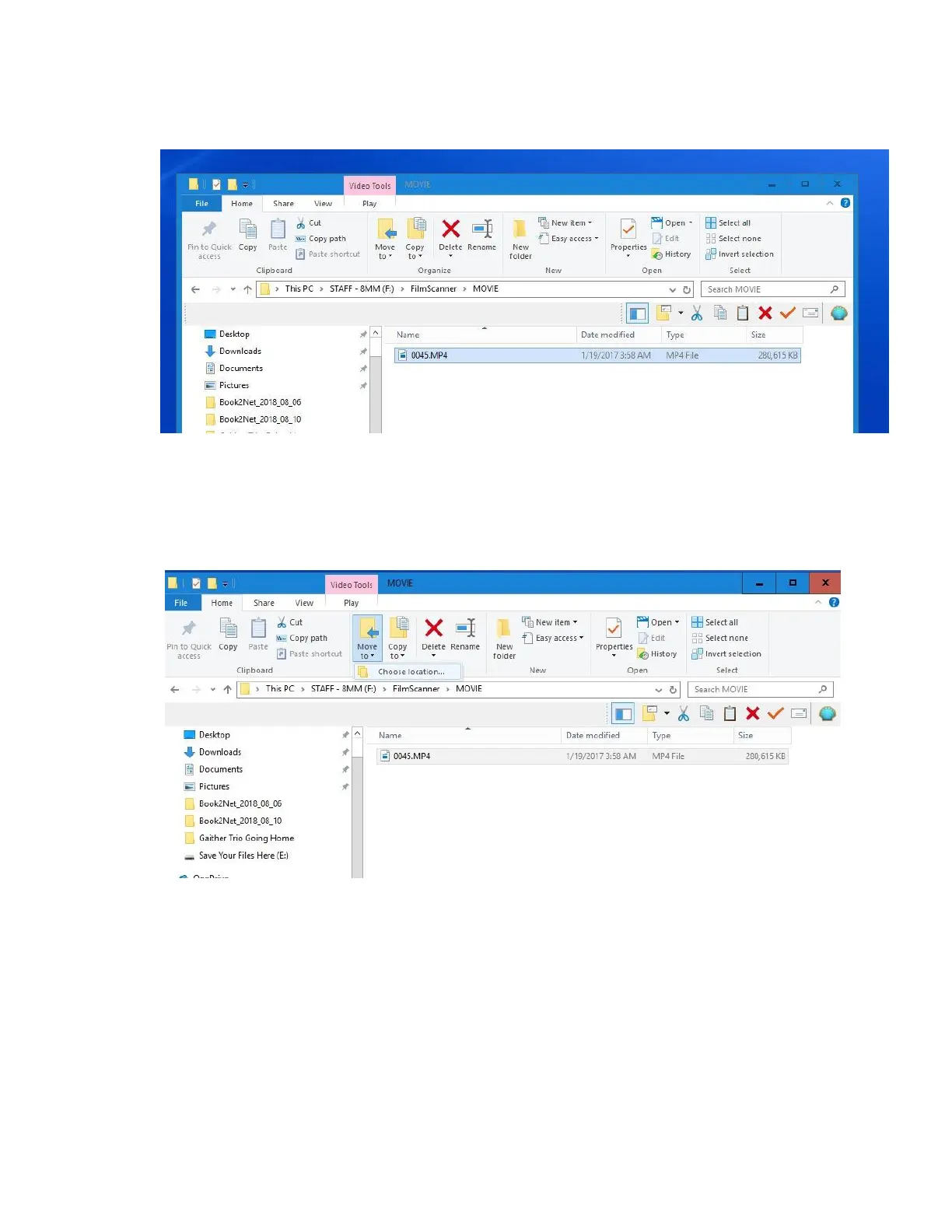
31. The new window will show the video files (.mp4) in numerical order. Left click with the
mouse to select all the files (or use the keyboard shortcut control + A to select all). The
file name will be highlighted in blue once selected.
32. Left click on the MOVE TO button under the Video Tools Tab at the top of the window. A
small popup will appear called “Choose location”. Left click on “Choose location”



 To Next Page