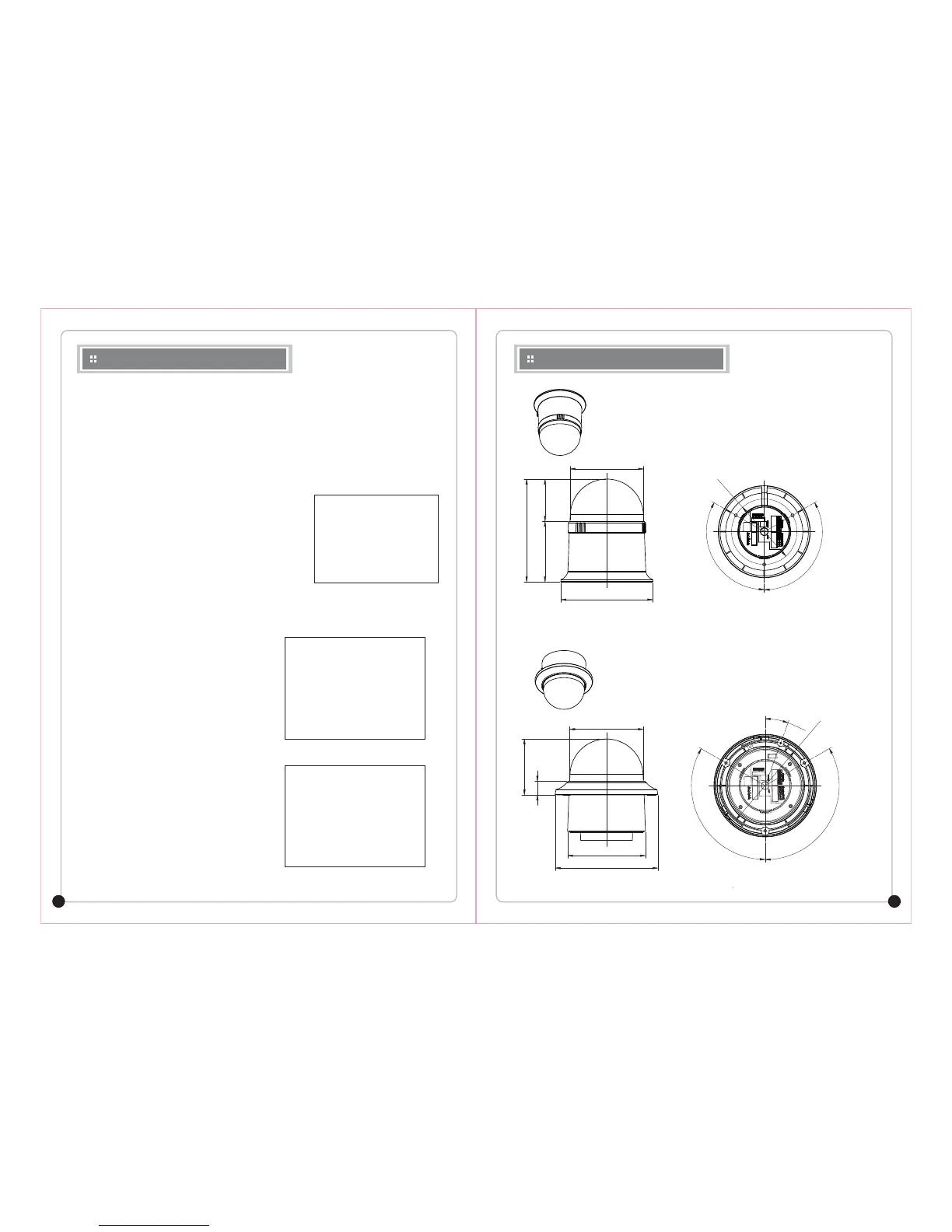
DIMENSIONS (mm)
20 MIN PTZ CAMERA
21 MIN PTZ CAMERA
On Screen Display Menu
(4) CLEAR MENU
⑥
D A Y&NIGHT
The darkness level is detected automatically under low light conditions such as at night or under
dark light to keep the screen bright and clea r .
CO L OR : Output images are displayed in color all the time. Burst signal size can be adjusted.
B/W : Output images are displayed in black and white all the time. Burst signal can be kept or removed.
AUTO : Under day condition, the mode is automatically changed into the CO L OR mode to keep an
optimum colo r . At night, the mode is automatically changed into the B/W mode to distinguish
dark images clearl y .
⑦ IRIS SET
Y ou can set the Iris mode.
Auto : The brightness of the image signal can be adjusted
automatically depending on the amount of light.
Manual : The brightness of the image can be adjusted.
⑧ F ACTORY DE F A U L T (CAME R A)
R estore camera program value to the facto r y default.
--------------------
--------------------
--------------------
R emove each of programmed MOTION function.
(5) PTZ RESET
Used to initialize the camera.
Does not erase any programmed data.
¢¹
IRIS MODE : A UTO
IRIS V A L UE : --
BACK
< NEAR/RIGHT ¢¹ IRIS MODE >
IRIS MODE
¢¹ PRESET YES <NO>
TOUR
SCAN
P A T TERN
AREA
A L ARM
PRI V ACY
¢¹ PRESET CLEAR :
< SEL ¢¹ NEAR LE F T/RIGHT >
CLEAR MENU
MOTION
DOME
CAME R A
CLEAR
¢¹ PTZ RESET YES <NO>
EXIT
< SEL ¢¹ NEAR LE F T/RIGHT >
MAIN MENU
Ø132.1
Ø105.84
Ø94.0
120°
120°
19.7
80.4
Ø111.79
Ø147.28
Ø105.84
Ø130.0
120°
120°
20
°
147.8
60.7 87.1
< Surface Mount >
< In-Ceiling Mount >



 To Next Page