On Screen Display Menu
13 MIN PTZ CAMERA
(1) MOTION MENU
--------------------------
MAIN MENU
¢¹ MOTION
DOME
CAME R A
CLEAR
PTZ RESET
EXIT
< NEAR/RIGHT ¢¹ MOTION >
--------------------
------------------- ---------------------------- --------------------
¢¹ PRESET
TOUR
SCAN
P A T TERN
AREA
A L ARM
PRI V ACY
BACK EXIT
< NEAR/RIGHT ¢¹ PRESET >
MOTION MENU
①
PRESET
The P reset function enables the camera to memorize positions of the pan/tilt and zoom.
T o recall the P reset positions, select the No. and press the P reset button.
- It suppo r t up to 63 preset positions
- P reset Label will be displayed when the camera
moves to the P reset position
- F ocus mode can be programmable for each
P reset position
- Quick program : T o set a P reset location,
set the camera, enter a number and press/hold the
P reset button for 3 seconds.
P01 02 03 04 05 06 07
08 09 10 11 12 13 14
15 16 17 18 19 20 21
22 23 24 25 26 27 28
29 30 31 32 33 34 35
36 37 38 39 40 41 42
43 44 45 46 47 48 49
50 51 52 53 54 55 56
57 58 59 60 61 62 63
< SEL ¢¹ NEAR / MOVE ¡æ J O YSTICK >
PRESET SELECT
L ABEL :
< STORE ¢¹ TELE MOVE ¢¹ J O Y >
< DEL ¢¹ WIDE BACK ¢¹ NEAR >
PRESET L ABEL EDIT <01>
POSITION : 000.0, -45.0
< EXIT ¢¹ FOCUS NEAR >
PRESET POSITION
12 MIN PTZ CAMERA
¢¹
On Screen Display Menu
INITIALIZE
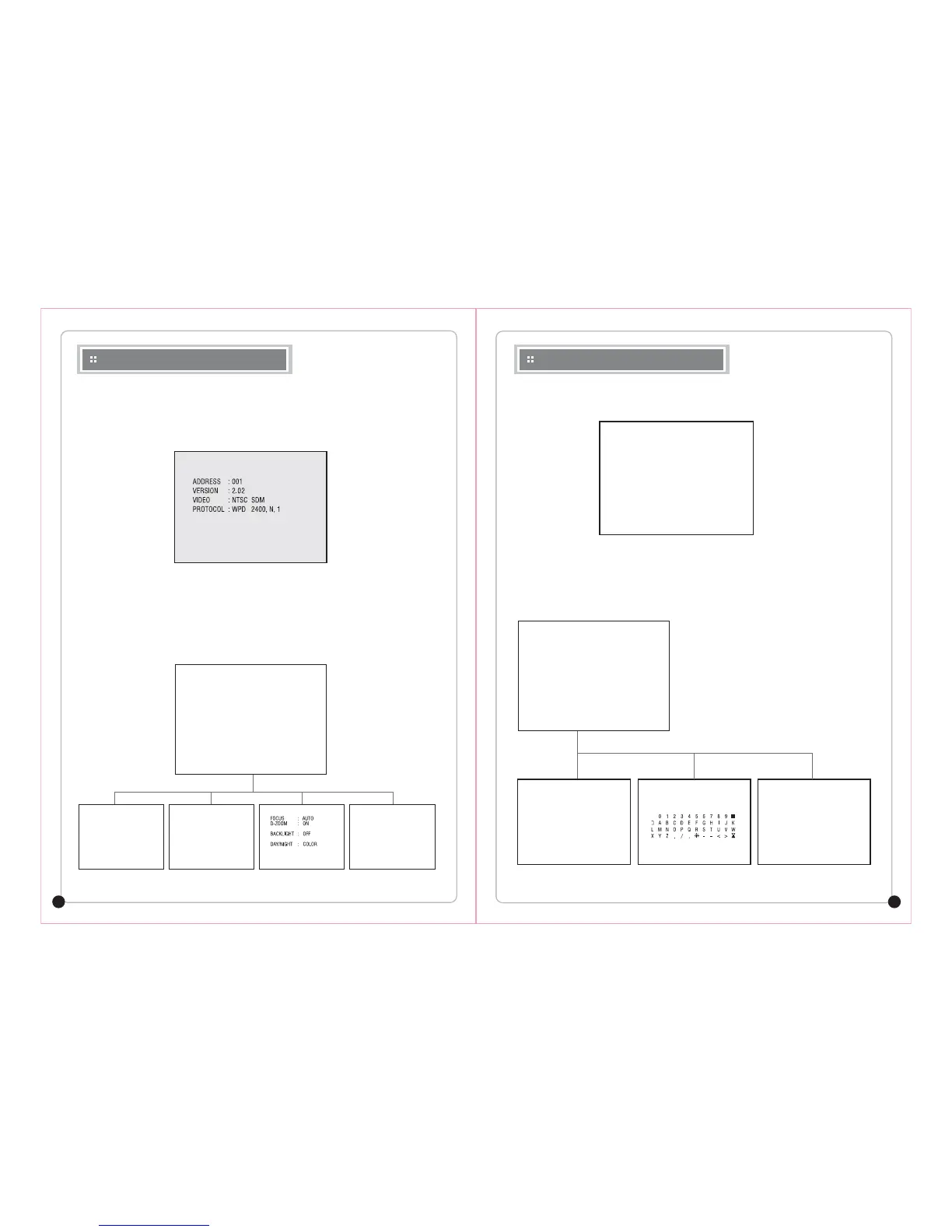
When you turn on the power, the INITIALIZE screen on the monitor will appear.
During Initialization, you can check the PTZ information. If the information is different with your desired setting, turn
off the camera and check the DIP switches again. After Initialization, the camera image will appear automatically.
MAIN MENU
To access the Main Menu, press the MENU button for 3 seconds (WTX keyboard) or enter "95" and press the PRESET
button (Pelco mode).
In the main menu, move the joystick up and down to navigate through the menu items and press the Focus/NEAR key
or move the joystick right to select menu item. For each step of the menu, there is menu control GUIDE on the bottom.
>> P AN OFFSET . . . . . P A S S
>>TI L T OFFSET . . . . . P A S S
>>CAME R A
¢¹ NORMAL SE T TING W AIT . . .
INITIALIZE
MAIN MENU
¢¹ MOTION
DOME
CAME R A
CLEAR
PTZ RESET
EXIT
< NEAR/RIGHT ¢¹ MOTION >
--------------------
----------------
-------------------- -------------------- -------------------- --------------------
¢¹ PRESET
TOUR
SCAN
P A T TERN
AREA
A L ARM
PRI V ACY
BACK EXIT
< NEAR/RIGHT ¢¹ PRESET >
MOTION MENU
¢¹ TITLE :
POWER UP ACTION : ON
P ARK ACTION
DISP L A Y ON/OFF
SPEED B Y ZOOM : ON
A UTO FLIP
F ACTORY SET
S A VE BACK EXIT
< NEAR/RIGHT ¢¹ TITLE SET >
DOME MENU
¢¹
WHITE BAL
EXPOSURE
IRIS SET
F ACTORY
S A VE BACK EXIT
< NEAR/RIGHT ¢¹ FOCUS >
CAME R A MENU
¢¹
PRESET YES <NO>
TOUR
SCAN
P A T TERN
AREA
A L ARM
PRI V ACY
¢¹ PRESET CLEAR :
< SEL ¢¹ NEAR LE F T/RIGHT >
CLEAR MENU



 To Next Page