18
To turn on the controller turn the system switch to
the on position.
At power-on time, the instrument model and
software version visualization will show briey, then
the display will look like Fig.2-3 (values shown may
be dierent).
If an error is displayed instead of the temperature
values, please check the connection of the
temperature probes.
L-SERIES can be programmed with the required
conditions to be maintained inside the kiln and
with a few other conguration parameters. The
settings are saved in a permanent memory and are
conserved in case of a loss of power supply.
To access the conguration mode, press “Select” key:
the rst parameter setting screen will appear.
To set the next parameters press the same key again,
for changing the values use the up and down arrow
keys.
The controller will exit from the set-up mode after
the setting of the last parameter or after 10 seconds
without any activity on the keyboard.
1. Dry bulb temperature (20°C to 72°C/68°F to 160°F)
Screen Appearance: Conguration 5 Dry bulb xx°
It is the desired temperature for the dry bulb probe,
that correspond to the kiln temperature. L-SERIES
will manage the heater relay according to this
setting.
2. Wet bulb temperature (20°C/ 68°F to Dry bulb
temperature)
Screen Appearance: Conguration 6 Wet bulb xx°
It is the desired temperature for the wet bulb probe,
that must be set according to the required air
moisture (see “Psychometric table”). L-SERIES will
manage the vent and sprays relays according to this
setting. The maximum settable temperature is equal
to the dry bulb temperature.
L-series controller can be supplied complete with
a serial interface (optional) for PC connection, in
order to produce reports of the drying cycles. The
PC must be equipped with an electrically insulated
RS485 COM port adaptor. The supported operative
systems is Windows; the PC must also have .NET 3.5
framework installed.
A single controller can be connected to a PC; remote
programming is not allowed. The maximum distance
reach is 4000ft. If specic cables for RS485 networks
are used. In case of long distance connections,
external surge protection devices should be added
on both the ends of the line.
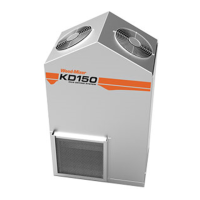
Using KD150
Figure 2-3 Controller Display
Parameters
Serial Interface
Settable Parameters
3 Compressor Status (ON/OFF)
4 Humidifier Status (ON/OFF)
1
2
3
4
5 6
1
2
3
4
5 6


 To Next Page
 Loading...